A beautifully filled meal planner can still produce a difficult Wednesday. You’ve scheduled something that needs an hour, everyone gets home late, and the spinach you meant to use on Monday is still sitting in the fridge.
The useful plan begins a little earlier: with your calendar, the food you already own and an honest idea of what you’ll feel like cooking. QR Pantry brings those pieces together. Here’s how to turn them into a week you can actually follow.
Work out how many dinners you need to make
Before opening a recipe, count the evenings you’ll eat at home. Include late meetings, sport, dinner elsewhere and the nights when one person needs feeding before everyone else. Five dinners at home don’t necessarily mean five cooking sessions.
Perhaps you need two straightforward meals, one larger cook, one dinner from the freezer and one flexible evening. That’s a useful starting shape. If you’re new to planning, three dinners are enough to practise the routine; NSW’s Love Food Hate Waste guidance explicitly allows starting with a few meals rather than planning every meal.
In the QR Pantry meal planner, use Add a meal to choose recipes. The picker also offers Add a note instead, so an evening out can have its own place. You don’t need a recipe for dinner at your parents’ house.
Give the food that needs attention first choice
Open Food and check the items approaching their recorded dates. Then look in the fridge. The app can show you what you’ve recorded; it can’t know that half the mushrooms went into yesterday’s lunch unless the record reflects that.
Pick a few ingredients you genuinely want to use. A half pumpkin, an opened yoghurt and some mushrooms give you a more useful starting point than a blank search for ‘dinner inspiration’. Check their condition, storage history and package directions before you build meals around them.
A use-by date is about safety; a best-before date is about quality. Don’t plan to eat food after its use-by date because a recipe would use it up. Follow storage directions too. The NSW Food Authority explains the distinction. A date entered in QR Pantry, including an AI suggestion, doesn’t establish whether food is safe.
Place the more time-sensitive food early in the plan. Durable ingredients can wait. That’s the difference between a week built around your kitchen and seven dishes that happen to sound good.
Choose familiar recipes before adding an ambitious one
Open your recipe book and try Uses expiring food or Can cook now. These filters connect your saved recipes to recorded pantry ingredients. They work best when the food records and the ingredient lists are accurate.
For example, mushrooms might point you towards a favourite pasta dish. Pumpkin could become soup or a tray bake. Choose the version you have time to make and ingredients you’ll enjoy.
Read the recipe’s pantry match before committing. A plausible match may need checking, and staples such as oil or salt can be assumed available. Also check amounts: finding yoghurt in the pantry doesn’t prove you’ve got enough for both Monday’s sauce and Thursday’s marinade.
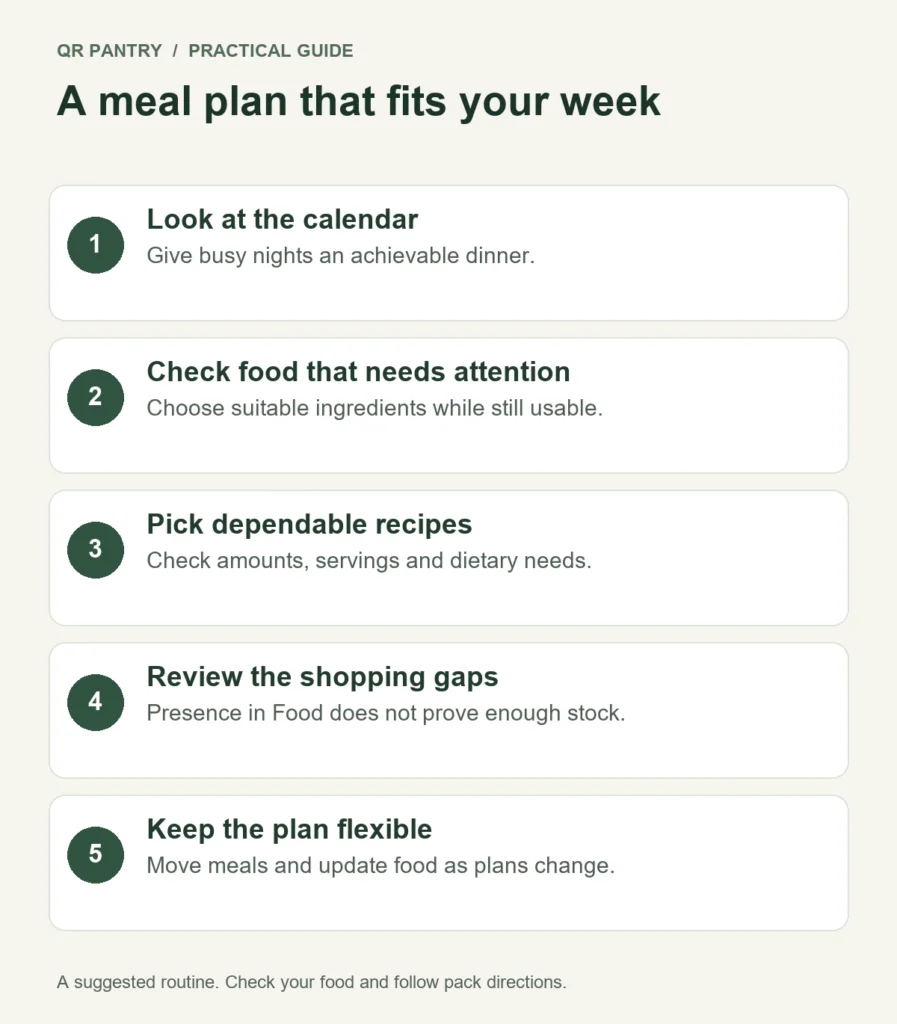
Put each dinner on a day that suits it
You can add recipes to On the menu before assigning a day, then drag them into place. Or add them to a day directly. If dragging is awkward on your phone, tap a meal and choose Move to a day.
Here’s an illustrative week for a household of two. The exact dates and safe storage decisions would depend on the food you have; the table shows the planning logic, rather than a storage timetable.
| Evening | Plan | Why it fits |
|---|---|---|
| Monday | Mushroom pasta for two | Uses the checked mushrooms early; a familiar cook |
| Tuesday | Pumpkin and lentil soup, four serves | An evening with time to cook extra |
| Wednesday | A stored portion of soup with bread | A late finish; no second full cooking session |
| Thursday | A labelled meal from the freezer | A busy evening planned with thawing time in mind |
| Friday | A favourite tray bake | Uses the remaining suitable vegetables |
| Saturday | Dinner out | A note keeps shopping realistic |
| Sunday | Flexible dinner after a fridge check | Room for a changed plan or an extra portion |
The soup is cooked once. Wednesday’s portion is a separate meal on the plan, rather than a second full soup recipe that would ask you to buy the ingredients again. Use Add leftovers the next day when that suits, then move the entry if necessary.
Putting leftovers on the calendar doesn’t store them or make them safe. Record the actual portions when you pack them, cool and refrigerate or freeze them appropriately, and use trusted guidance for that food. The NSW Food Authority’s leftovers advice covers cooling, storage and reheating. For a frozen dinner, allow for thawing in the fridge and follow the food’s directions.
Set serves before you build the shopping list
Tap a planned recipe to adjust Serves. For Tuesday’s soup, that’s four if you intend two dinners for two people. The planner uses this setting to scale the recipe’s contribution to the week shop.
With QR Pantry Pro, the Shop the week section’s What do I need to buy? action checks your plan against the pantry and consolidates the ingredients. Review everything it shows, including uncertain matches, ingredients you have and assumed staples.
This check is based on an ingredient’s presence, rather than how much remains. If two recipes need onions and the app finds an onion record, you still need to check that you’ve got enough onions. Look at opened packets, small amounts in jars and anything you’re using twice.
You can plan this week with the free app. Pro adds planning further ahead, Plan my week and Shop the week. For a smaller manual plan, each recipe’s pantry panel can add its missing ingredients to your shopping list. Check for repeated ingredients and quantities across those meals before you shop.
Use Plan my week as a useful first draft
If you’ve got Pro, Plan my week for me can assemble dinners using your recorded prepped meals and your own recipe book, giving attention to food that needs using. It doesn’t remove the need to look at your week.
Review the result with three practical checks: does the meal fit that evening, are the portions right, and is the food suitable to use? Move or remove anything that doesn’t fit. Add notes for nights away. If your recipe book is sparse, add a few reliable dinners first so the planner has useful choices.
Change the plan while there's still time to act
A meeting runs late. Someone brings dinner home. The plan will move. When it does, look first at the food displaced by the change, especially anything with a use-by date or an opened-pack instruction.
Move the meal earlier if practical, use the ingredient in another suitable dish or safely freeze food where appropriate before it’s too late. Changing the entry to Friday doesn’t extend the food’s life.
After cooking, review the containers you’ve emptied and update them. Check the actual fridge midway through the week, and look at what’s left before the next shop. Those small updates make next week’s recipe matches more useful.
Start with your next three dinners. Put one suitable near-date ingredient into the first, give the busiest evening an easy option, and buy only what those meals need. A useful plan earns its place by helping at dinner time.