The cooking is finished. The bench is covered in containers. Somewhere between washing the saucepan and finding matching lids, the plan for those meals can disappear.
Was the smaller container lunch for one or sauce for two? Which portions were meant for the fridge, and does next week’s dinner need rice, pasta or nothing at all? A useful batch cook answers those questions while the food is still fresh in your mind. QR Pantry lets you keep the answers with each container.
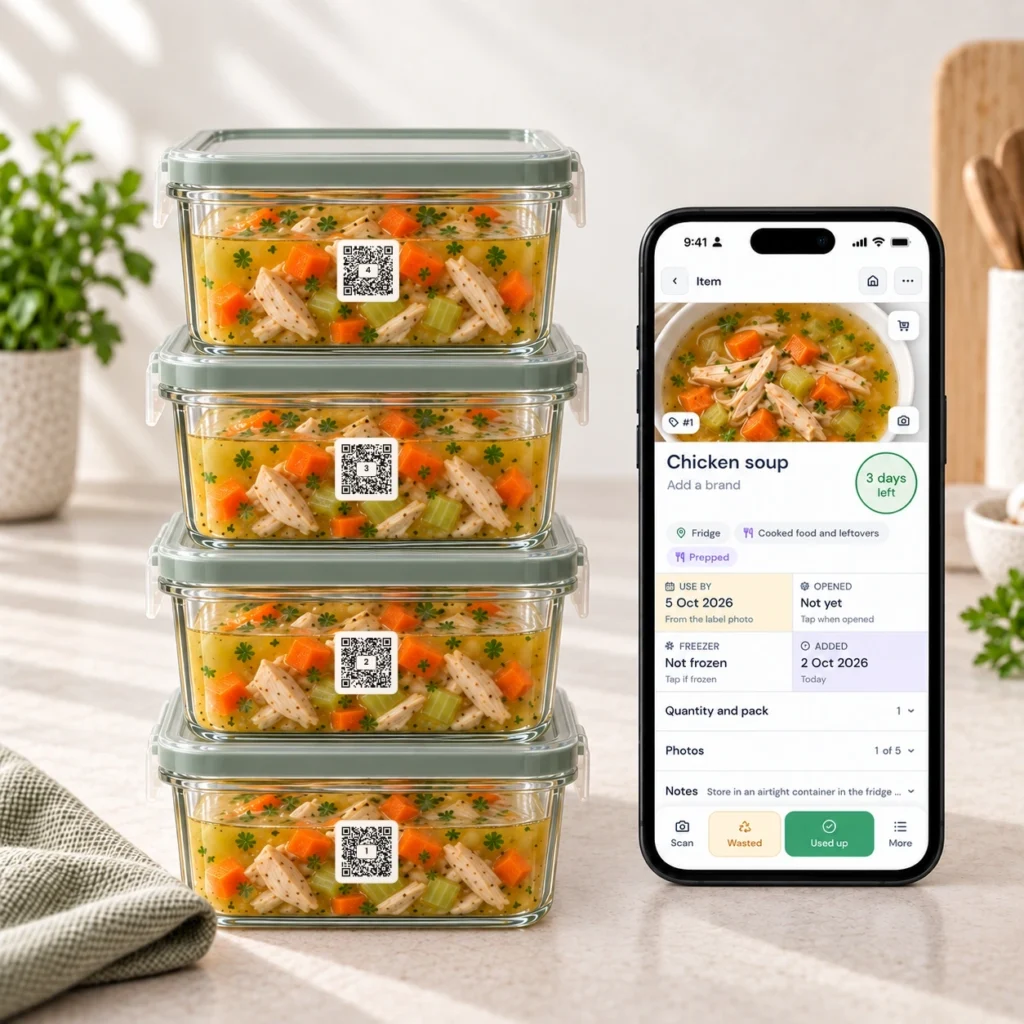
Choose the meals you'll want to eat later
Start with the week you’re actually having. A late finish on Tuesday needs a meal that can be reheated and served. Thursday lunch needs one portable portion. A quieter evening might suit a cooked sauce that still needs pasta and a salad.
That distinction matters. Six containers of the same dish aren’t automatically six useful meals. You might get more from one pot divided into two dinners, two lunches and a small spare portion. Or from a cooked base that can finish several different meals.
For example, a lentil and tomato sauce could be planned for pasta on Monday and baked potatoes later. Record the intended finishing step with the stored food. NSW’s Love Food Hate Waste guidance recommends deciding how you’ll use leftovers before they spoil and making room for them in your meal plan.
Check your containers and available storage before you increase a recipe. If you can comfortably cool and store four portions, make four. A batch you can handle properly is more useful than an ambitious one that crowds the fridge.
Decide what stays in the fridge and what freezes
Set aside the portions you’ll eat soon and freeze suitable extras promptly after safe cooling. Don’t use the fridge as a waiting room for meals you already know you won’t reach.
The NSW Food Authority advises dividing leftovers into smaller portions, cooling and covering them, and putting them in the fridge or freezer within two hours. Keep refrigerated leftovers below 5°C. Its general advice is to eat refrigerated leftovers within three days, with cooked rice and pasta within two days. Food-specific advice and manufacturer instructions may require shorter limits.
Those limits are why ‘all week’ often means using both the fridge and freezer. A Sunday cook-up doesn’t make every portion suitable for Friday’s fridge lunch. Write down the cooking date and set a storage plan appropriate to the dish. A suggested date in QR Pantry is a prompt to review, not proof that food is safe.
Make the container the unit you track
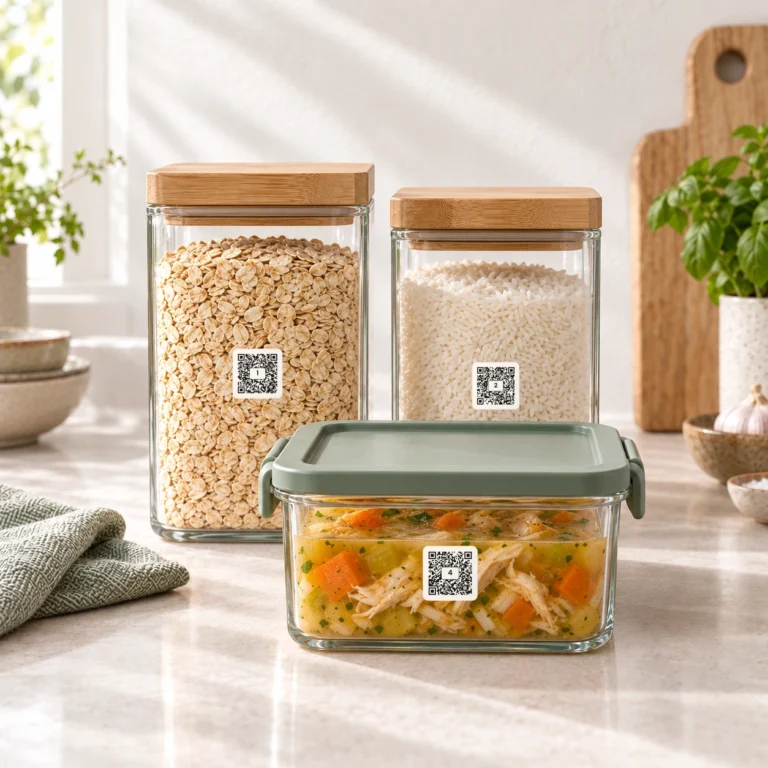
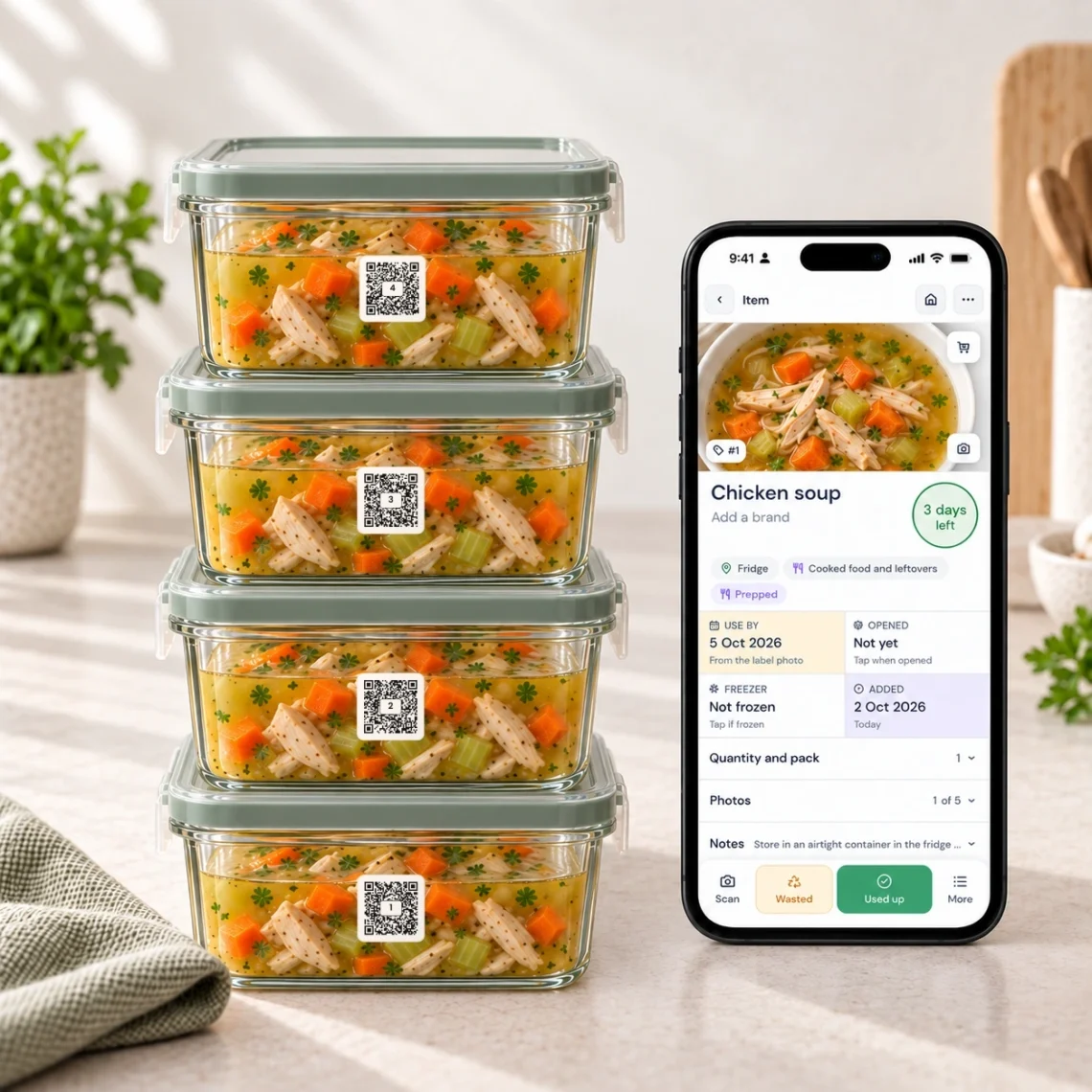
For most batch cooking, the clearest approach is one food record for each labelled container. If you’ve divided a soup into four containers, you want to know which one is in the fridge, which is frozen and which has been eaten.
Keep quantity and serves separate. One container might hold two serves. Recording quantity four on every container would make the batch appear much bigger than it is. Instead, record one container and the number of people that container is intended to feed.
| Container | Name in QR Pantry | Serves | Destination |
|---|---|---|---|
| Small soup container | Pumpkin soup – lunch | 1 | Fridge |
| Larger soup container | Pumpkin soup – dinner | 2 | Freezer |
| Sauce container | Lentil tomato sauce – add pasta | 2 | Freezer |
Use names that help at dinner time. ‘Pumpkin soup’ identifies the dish; ‘Pumpkin soup – lunch’ adds a useful distinction. If every container is identical, keep the name consistent and let each label identify its own portion.
Save the batch in QR Pantry
Attach suitable QR Pantry labels to the containers, then scan and save each portion. Check the food name, date and storage space. In More details, add the quantity, notes and Prepped setting, including serves. Prepped is useful for complete meals and cooked bases: it tells QR Pantry this is food you’ve already prepared.
- Name the food clearly. Include the finishing step if the container holds a base rather than a complete dinner.
- Choose its real storage space. Save the fridge portion to the fridge and frozen portions to the appropriate freezer space.
- Review the date. Check any filled or suggested date against the actual cooking history and relevant storage advice.
- Set serves for this container. A family-size container and a lunch-size one should carry different answers.
- Add the note you’ll need later. Keep it short enough to read while you’re holding the container.
If you’ve cooked through a saved recipe, the finish screen offers Store some for later. Choose fridge or freezer, set the serves and continue to Scan a label. The next new food record is filled in for review. Check and save it, then repeat that process for another container. The saved recipe gives the portion a useful connection back to its ingredients and method.
With QR Pantry Pro, bulk add is handy for several identical labelled portions. Scan their labels in bulk and review the shared details before saving. Each label gets its own food item. Use separate batches when the portions have different dates, destinations or serving sizes, and check that the scanned labels belong to the containers you’re filling.
For homemade food going into the freezer, check the saved item’s Freezer clock and record the day it went in. Saving a new item directly to a freezer space doesn’t by itself record when you froze it. Review the proposed freezer date against the food’s history and relevant advice before saving it.
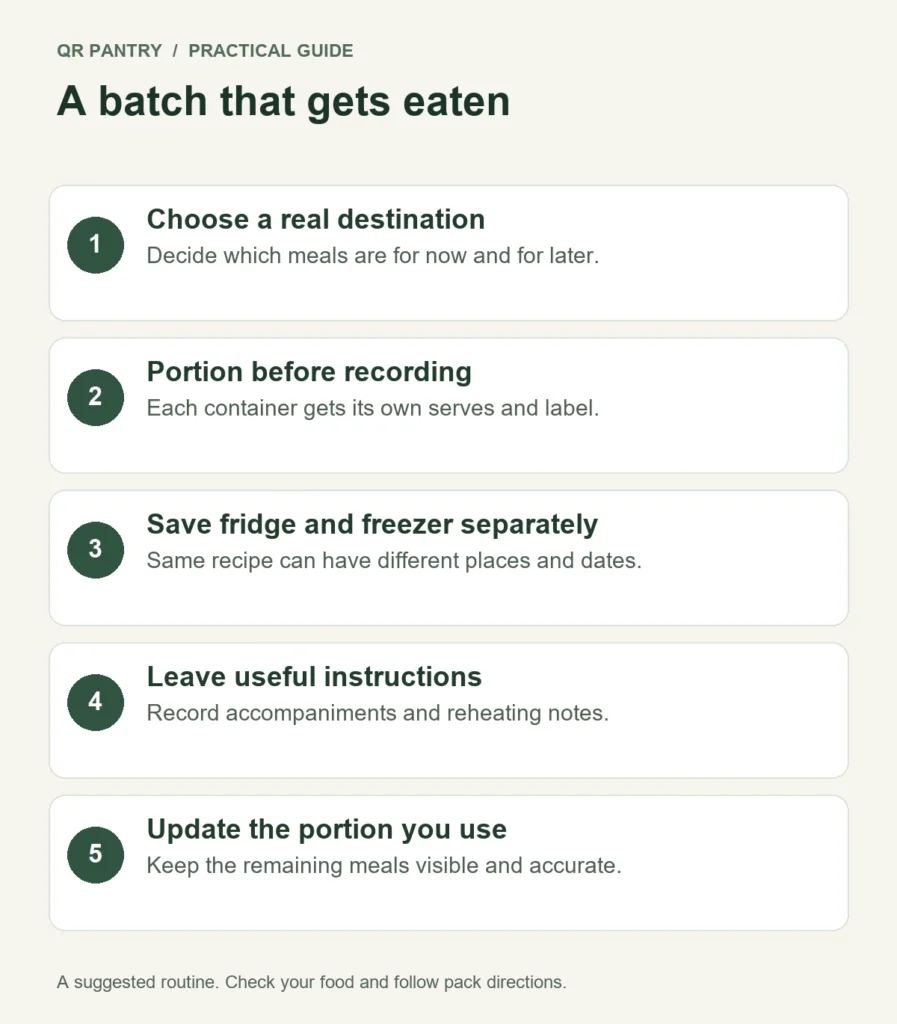
Write notes for the tired version of you
Good notes answer the question you’d otherwise have to work out again. ‘Add pasta for two.’ ‘Contains dairy.’ ‘Cooked Sunday; frozen after cooling.’ ‘Keep crunchy topping separate.’
Record allergen information from the actual ingredients, including any relevant packaging information. A recipe name won’t tell someone that the stock contains celery or the sauce contains milk. Keep the original directions available when you need them and check that any instructions copied into the app are accurate.
Avoid guessing a precise microwave time for every future reheating. Portions, containers and appliances vary. The NSW Food Authority recommends reheating leftovers until steaming hot throughout, stirring microwaved food to heat it evenly, and never reheating rice or pasta more than once.
Put the stored meals into the week
Give the fridge portions the earliest suitable slots in your meal plan. Schedule a freezer portion for a busy evening and check its defrosting needs in advance. You can plan the current week on a free QR Pantry account; planning weeks ahead and Plan my week are Pro features.
Be specific about anything still required. ‘Lentil sauce’ becomes a workable dinner when you also know there’s pasta in the pantry. If the finishing ingredient is missing, add it to your shopping list while you’re planning.
When you eat a tracked portion, update its record. Use Used up when that container is empty; adjust the remaining amount when you’ve only used part. This small habit prevents yesterday’s lunch from appearing as tomorrow’s option.
Start with one dish and a few containers in Food. Decide where each portion will go and when you’ll eat it, then save the details before you forget them. Next time you open the freezer, the cooking you’ve already done will be much easier to put to work.