
Meal prep labels that remember what’s in every container.
Cook once, portion it out, and every container or freezer bag remembers what it is, when you cooked it and when to eat it by. Scan it before you defrost or reheat, and there’s no such thing as a mystery container.
- The meal, the date you cooked it, where it is and when to eat it by
- Label a whole batch in one go with bulk add (Pro)
- Fridge, freezer, lunchbox and pantry
- Reusable labels for containers, freezer bag labels for bags

 ShortlistedTechRadar Sustainability Awards 2026, Tech for Good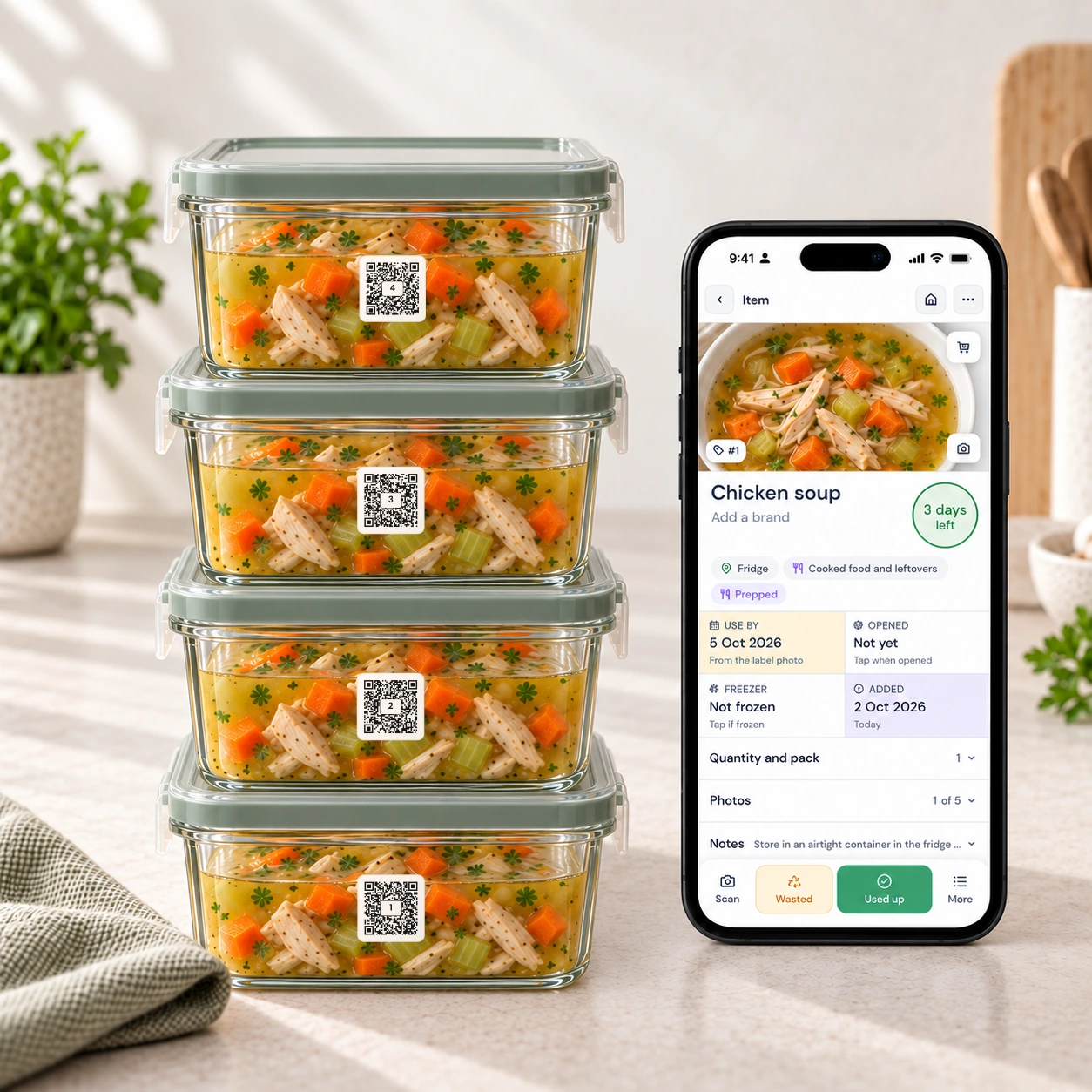
Meal prep should save time, not create mystery containers.
The cooking is the easy part. The hard part comes later: remembering what you made, when you made it, where you put it and what needs eating first.
What’s in this one?
No more opening lids, guessing ingredients or defrosting the wrong meal.
When did I cook it?
The cooked date, the eat-by date and a note, so every meal gets eaten while it’s still good.
Where did I put it?
Fridge, freezer, lunch bag, garage freezer or pantry shelf. The label knows.
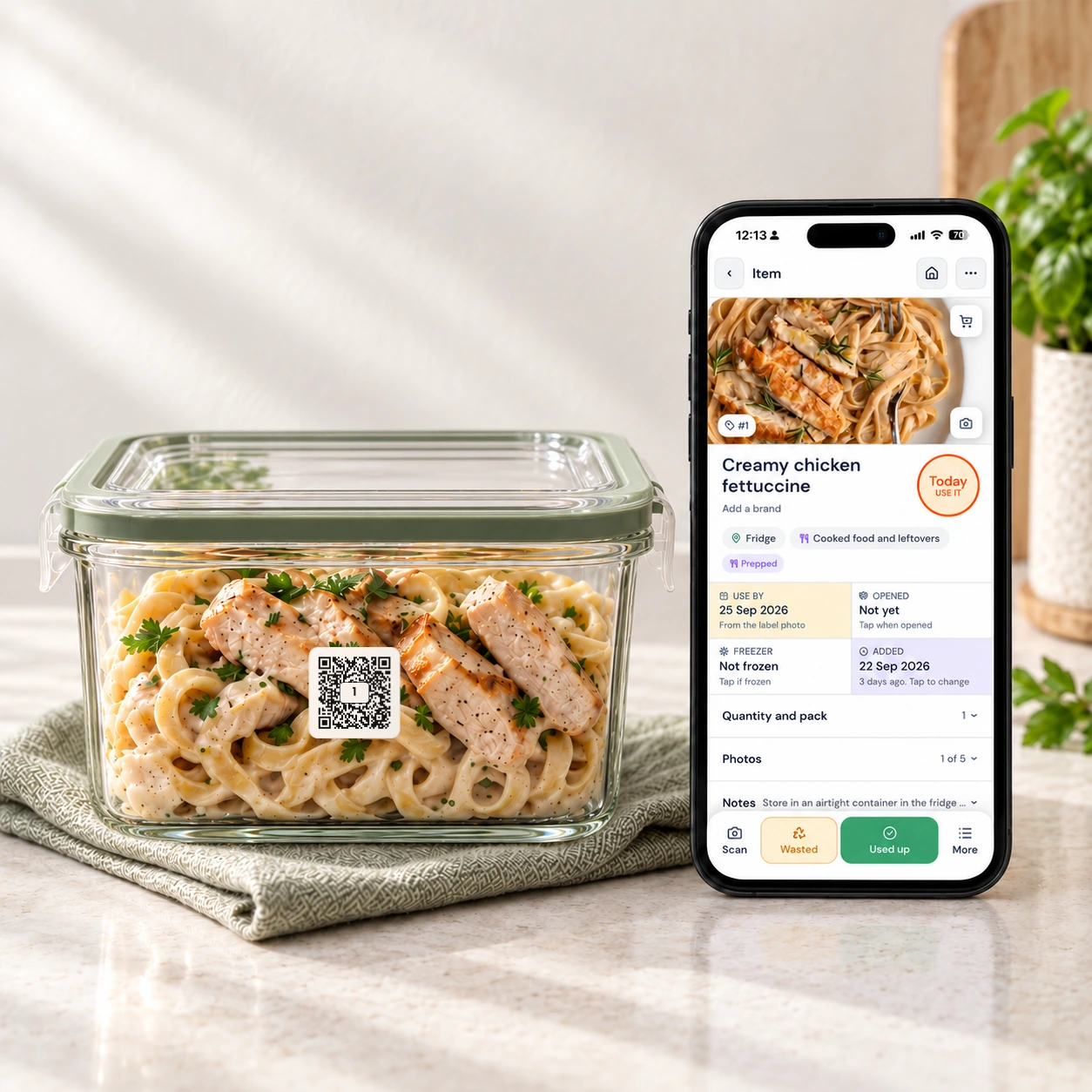
Scan a container, and it tells you what’s inside.
Point your phone at a label to see the meal, the date you cooked it and when to eat it by, before you defrost the wrong thing.
A real scan, in real time. Each meal takes about five seconds to label and a second to check.
One routine for every batch you cook.
Stick the label, scan it, save the meal. When the container’s empty, the label is ready for the next batch.
Prep your meals
Cook once and portion it into containers for the week, the freezer or the family dinners ahead.
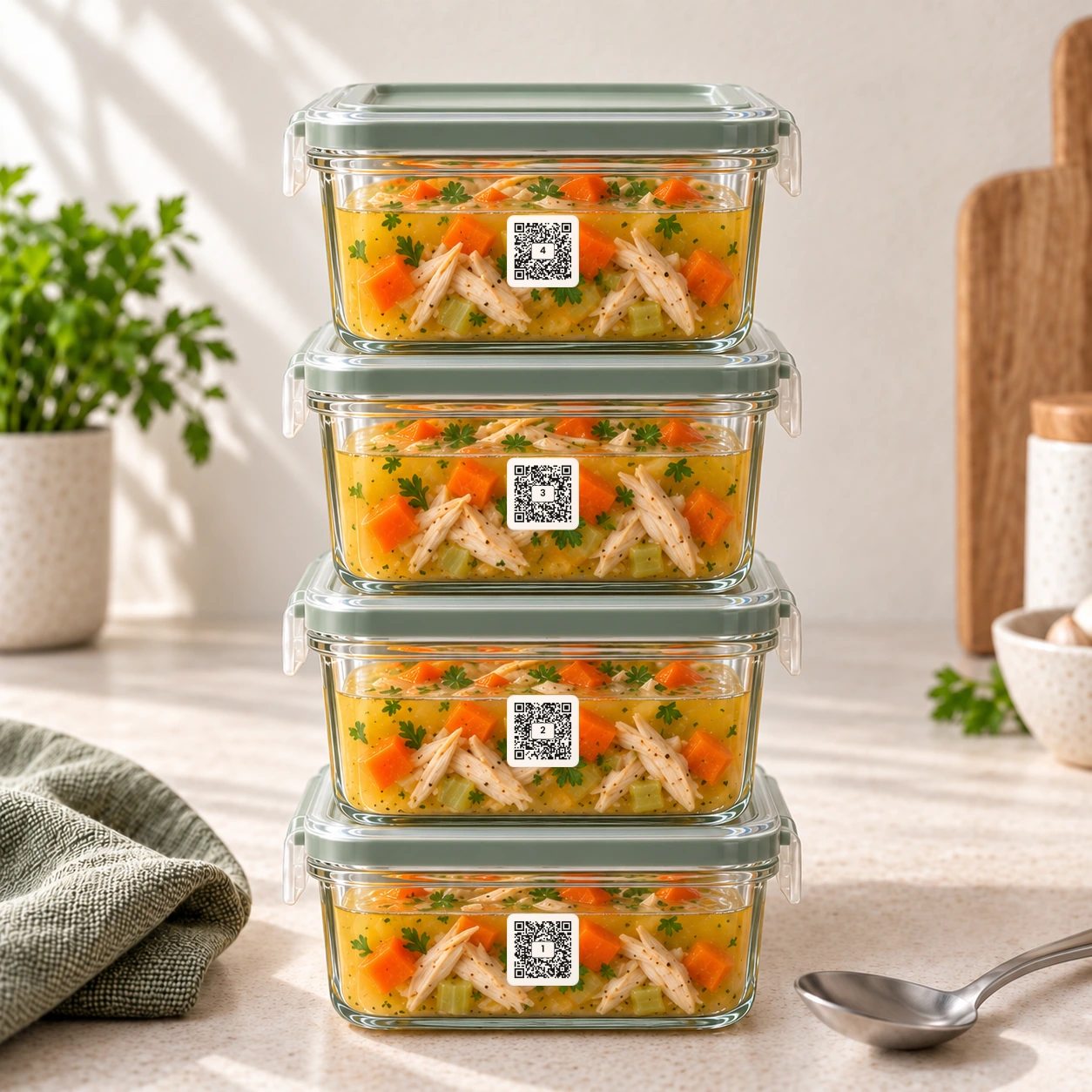
Scan the labels
Scan a reusable smart label with your phone. From then on, it belongs to that container.
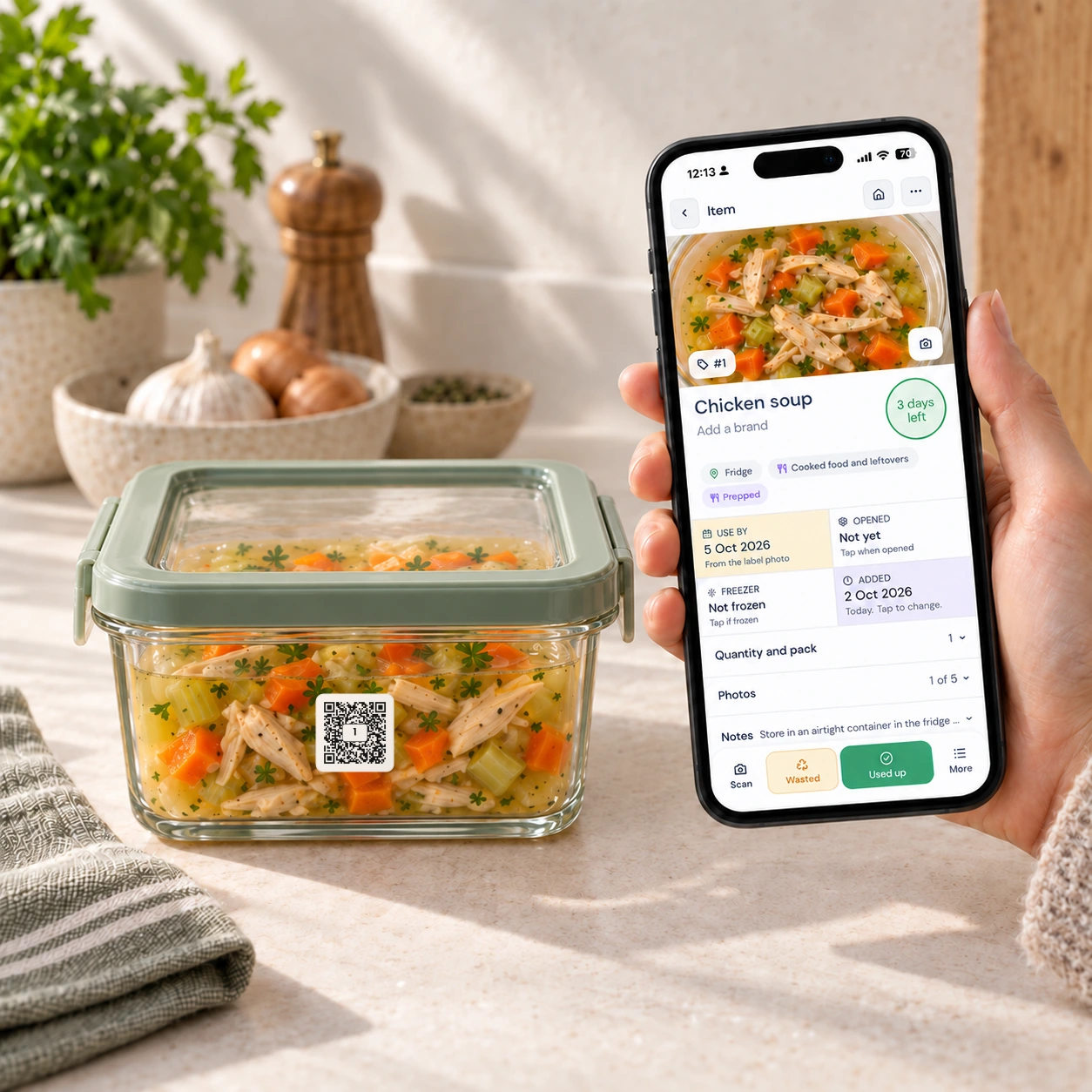
Save the details
Save the meal name, where it lives, the eat-by date, reheating notes and allergy details, to one container or the whole batch (bulk add is Pro).
Eat, wash, reuse
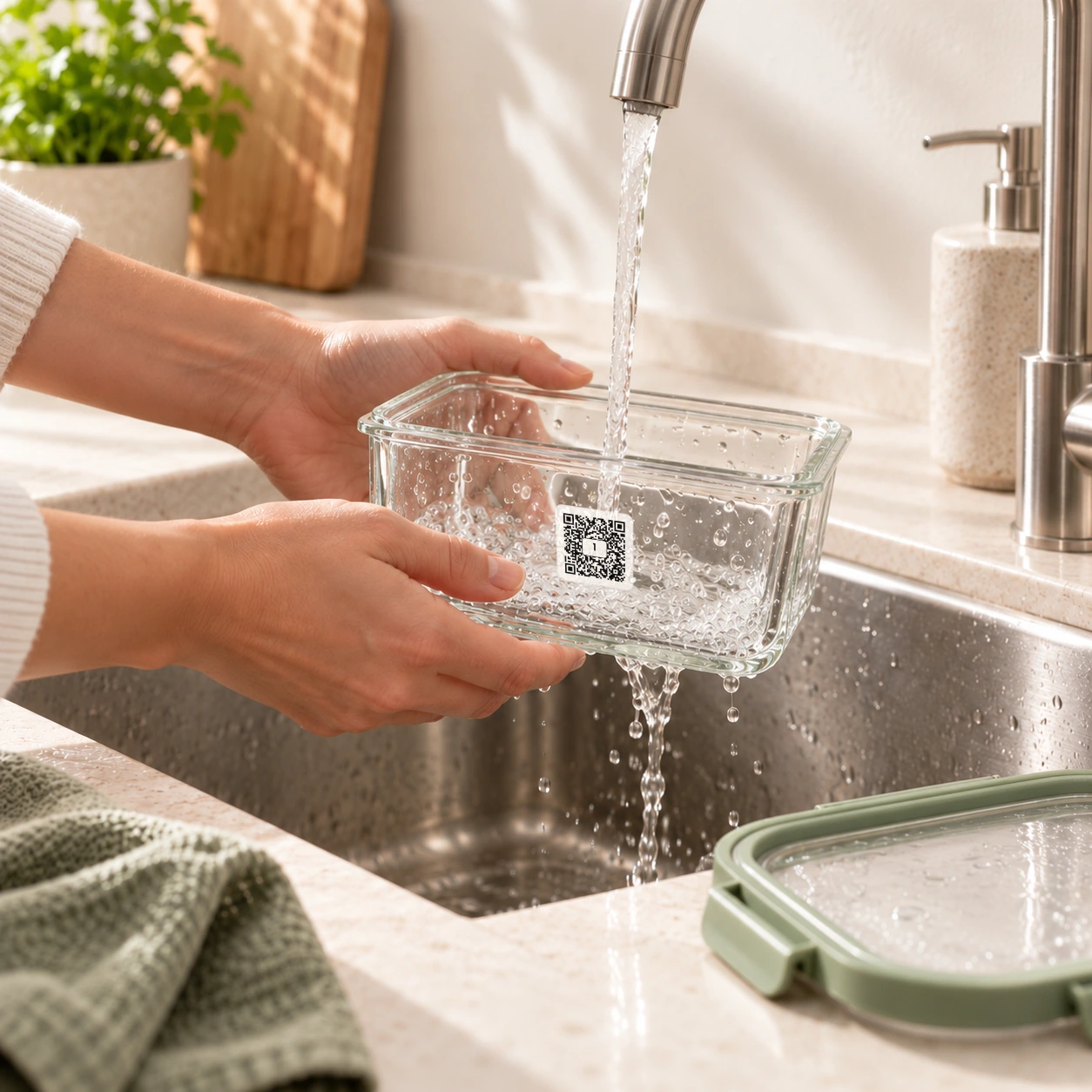
When the meal’s gone, tap Used up, wash the container, and the same label is ready for the next batch.
Label a whole week of meals in one go.
Cooked six portions of the same thing? Enter the details once and QR Pantry saves them to every container or bag in the batch. Bulk add is a Pro feature.
- Save a whole batch of meals at once
- Fridge, freezer and pantry, each container knowing where it lives
- Reheating notes, serving ideas and allergens
- Eat-by dates that tell you what to eat first
- A look at what’s already prepped before you cook or shop again
For the meals you make now and eat later.
QR Pantry gives meal prep containers a memory, whether they’re going into the fridge, freezer or lunchbox.
Freezer meals
Scan the container or the bag before you defrost it, so you know exactly what’s inside.
Work lunches
Dates, notes and serving details, so Thursday’s lunch is never a surprise.
Family batch cooking
Portions, sauces, sides and where each one is, so dinner is a scan away.
Gym and macro prep
Protein, carbs and serving notes on every prepped meal.
Kids’ meals
Allergy notes, school lunch ideas and reheating instructions.
Sauces and leftovers
Opened sauces, cooked ingredients and leftover portions, before they go missing at the back.
Containers or freezer bags? There’s a label pack for each.
Reusable labels are for the containers you wash and fill again. Freezer bag labels are for the bags, zip bags and vac-sealed bags that go in the freezer. Both work in the same free app, and plenty of kitchens use one pack of each.
Smart Pantry, Fridge & Freezer Labels
Use them for: batch meals, leftovers, freezer prep, sauces, pantry containers and ready-to-eat containers.
Each pack holds 126 labels. They’re dishwasher, microwave and freezer safe, so a label stays on its container from one batch to the next.
Labelling pantry jars as well? Custom spice and pantry labels come printed with your names.
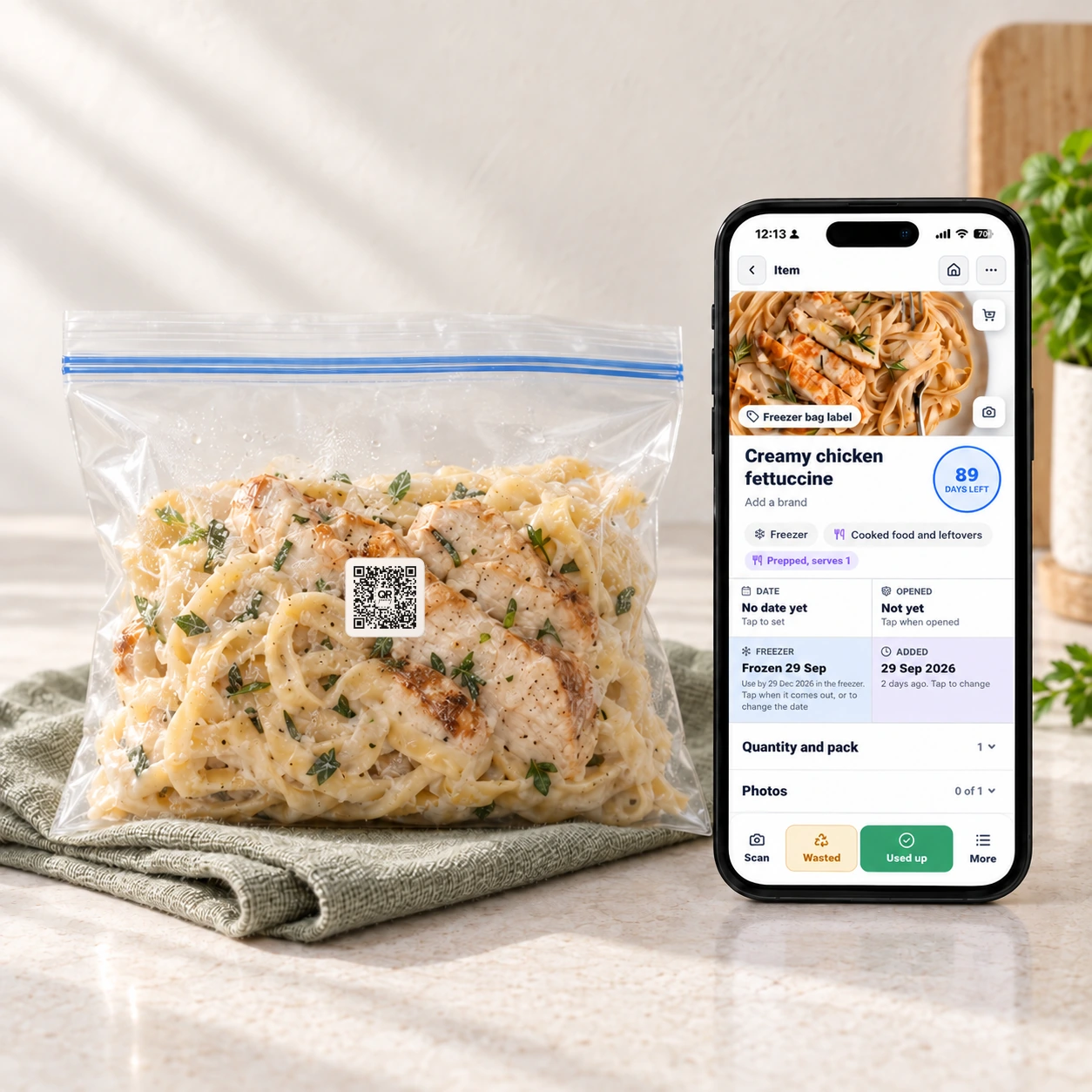
Smart Freezer Bag and Meal Prep Labels
Use them for: mince, marinated chicken, flat-frozen soup and stock, meal prep portions and bulk buys split into bags.
Each pack holds 126 paper-based labels, made to grip freezer bags, zip bags and film in the freezer. They’re not recommended for reuse, and not dishwasher or microwave safe.
One label can hold everything a meal prep sticker can’t.
- Meal name and ingredients
- Cooked date and expiry date
- Fridge, freezer or pantry location
- Reheating or serving instructions
- Notes for allergies, kids, portions or macros
- Cooked from a recipe? Store some for later and the label carries the meal, its photo and a date
- Prepped meals in the fridge and freezer show up in the meal planner
- Containers keep the same label for the next batch
Free to start. Pro when you want less typing.
The labels and the free app are all you need. QR Pantry Pro adds email reminders, photo recognition that suggests a name and a date for you to check, receipt scanning, automatic barcode fill for your labels, bulk add, more photos and exports.
QR Pantry Free
$0 · included with any label pack
- Scan food & storage labels
- Track expiry & best-before dates
- Expiry push notification reminders
- Barcode scanning · 1 million+ products
- One photo on each food item
- 4 AI uses a month · for photos of food, boxes and recipes
- Storage spaces: pantry, fridge, freezer & more
- Notes & cooking instructions
- Shopping list in aisle order, straight back into the pantry
- Recipe book · 10 recipes, cook from your pantry
- Meal planner · plan this week from your recipe book
- Log in from multiple devices
- Update & reuse labels endlessly
Free account · no card required
QR Pantry Pro
Everything in Free, plus:
- 150 AI uses a month · for photos, receipts and recipes (60 during a free trial)
- AI photo recognition · snap it, Pro suggests the name & date
- Back of the pack · the printed date and cooking instructions from one photo
- Receipt scan · log a whole shop from one photo
- Shelf photo · add a whole shelf from one picture
- Barcode autofill for your labels
- Bulk add food items
- Expiry email reminders before food turns
- Capture more food and storage images
- AI food safety and storage tips
- Recipe book · room for 1,000 recipes
- Meal planner · plan weeks ahead, autopilot, shop the week
- Shopping links for Woolies, Coles and more
- Share your pantry with your household
- Export your food inventory
30-day free trial, then $3.95 a month or $34.95 a year
Cancel anytime
Label your next 10 meals and stop guessing what’s inside.
Start with one batch cook: label each container or bag, save the meal details and check your phone before you defrost, reheat or shop again.
Want 10% off before you shop?
Join the QR Pantry list and we’ll send you 10% off your first order.
We’ve emailed it to you too.
From kitchens that stopped defrosting the wrong thing.

 Verified owner
Very happy so far, it’s easier to track leftovers and the stickers stay on in the dishwasher
 Verified owner
I’ve finally started using them. I do like putting expiry date & reminder on. I’m confident that as I continue to use, there will be no dead food in fridge or UFO’s (unidentified frozen objects) in the freezer
 Verified owner
I bought QR PANTRY PRO for my son who is struggling a bit financially. He often freezes things and then can’t remember what’s in the freezer, or how long it’s been there. Yesterday he was complaining he had nothing to cook for dinner, so we opened up the app and searched the recipe base based on the food stuffs that he had on hand. It came up with 5 recipes that he could make with things he had forgotten he had! Dinner sorted and the night ended with a happy son with a full belly, and leftovers for tomorrow! Thank you so much, I highly recommend this system!

Excellent service and great help after a small problem, caused by myself. Product is working as I expected without issue and is great for my use.
 Verified owner
What a great invention. So handy. Over the years it’s been such a frustrating exercise pulling mysterious meals from the freezer. But not any more with these fabulous QR codes. I love them, especially the warning that they are about to expire. There will no longer be items from 1998 in the bottom of the freezer.
Meal prep label FAQs
What can I save for each meal?
You can save the meal name, ingredients, cooked date, expiry date, storage location, reheating or serving instructions, allergy information and a place on the shopping list. Pro adds bulk adding, photo recognition, more images, email reminders and exports.
Which labels should I choose, the reusable pack or the freezer bag pack?
Choose the Smart Pantry, Fridge and Freezer Labels for containers you keep and wash: jars, boxes and meal prep containers. They are dishwasher and microwave safe, and the same label is refilled again and again in the app.
Choose the Smart Freezer Bag and Meal Prep Labels for freezer bags, zip bags, vac-sealed bags and cling film. They are freezer safe and made to grip plastic, and when the bag is empty one tap takes the item off your list. They are not recommended for reuse, and they are not dishwasher or microwave safe. Many households use both: reusable labels on the containers, freezer bag labels on the bags.
Are these better than writing the date on masking tape?
Masking tape can show a date, but a QR Pantry label holds the meal name, storage location, expiry date, notes and cooking instructions, and it stays reusable from batch to batch instead of being peeled off and rewritten.
Does QR Pantry include recipes and meal planning?
Yes. The free app includes a recipe book for 10 recipes, imported from a link or a photo or typed in, with a pantry match that shows which ingredients you already have and a cook mode that ticks them off as you go, plus a meal planner for this week: pick meals from your recipe book, drag them onto days and cook from the plan. QR Pantry Pro stores 1,000 recipes, plans weeks ahead with repeats, fills the week for you with Plan my week, and builds one shopping list for everything the week's meals need.
Are QR Pantry labels freezer safe?
Yes, both lines. The Smart Pantry, Fridge and Freezer Labels are rated for use down to −20°C, which covers a normal domestic freezer. The Smart Freezer Bag and Meal Prep Labels are made for exactly this: their adhesive holds on freezer bags, zip bags and film, which the reusable label was never designed for. Apply either kind at room temperature to a clean, dry surface before freezing, rather than to a bag or container that is already frozen. Adhesive does not bond well to a cold surface, so a label pressed onto frozen packaging may not hold. On a bag, put the label straight onto the plain plastic, away from any printing or write-on panel.
Do I need QR Pantry Pro to use the labels?
No. The free QR Pantry app includes everything you need to start: scanning, expiry dates, push notification reminders, barcode scanning from a catalogue of over 1 million products, a photo on each item, notes, a shopping list, a recipe book and a meal plan for this week. Pro is optional and adds email reminders, AI photo recognition, receipt scanning, automatic barcode fill, one-tap store links, bulk adding, more food and storage images, meal planning weeks ahead, and exports.
Can I reuse QR Pantry labels?
Yes, the Smart Pantry, Fridge and Freezer Labels are designed to be reused. When the food is finished, scan the QR code and update or clear the saved details, then use the same label for the next item. The label stays on the container; only the digital record changes.
The Smart Freezer Bag and Meal Prep Labels are the exception. They are made to grip freezer bags, zip bags and vac-sealed bags, and they are not recommended for reuse. When the bag is empty, tap Used up and the item is off your list, with nothing to clear and no empty container to keep track of.
How much does shipping cost?
Shipping is free within Australia. Orders are printed, packed and shipped from Victoria within 3 business days, then delivered by Australia Post, which can take up to 7 business days. International shipping is priced at checkout. See shipping and delivery for the full details.
The same smart labels, wherever your kitchen needs them.
One reusable label pack works across all of it. Start with whatever frustrates you most.
Make meal prep searchable.
Start with a pack of smart labels, and every container and freezer bag you fill will know what’s in it.