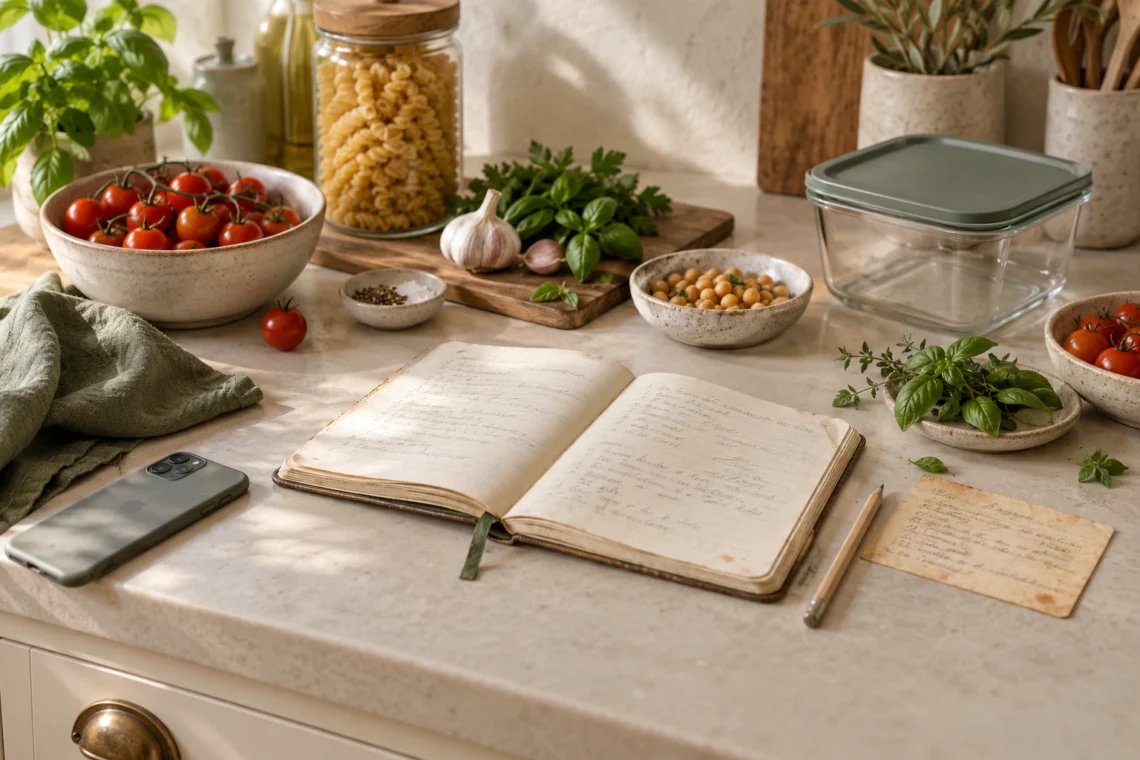
The recipe you need is probably somewhere. A screenshot in your camera roll. A tab you kept open. A handwritten card in the drawer. By the time you’ve found it, you’ve half decided to order dinner.
A useful recipe book puts your good meals within reach and helps you choose between them. In QR Pantry, it can also show which ingredients you’ve already recorded in your kitchen. The best place to begin is with a small collection of meals you can picture yourself making next week.
Start with the recipes that have a job
You don’t have to import every saved recipe on day one. Choose a handful that cover the situations your kitchen faces regularly: a late evening, vegetables that need using, a dinner everyone enjoys, and something worth cooking in a larger batch.
The Australian Government’s Eat for Health guidance on quick meals suggests keeping strategies and useful ingredients available for busy days. Apply that thinking to your collection: give yourself dependable options before filling it with projects.
A sensible first collection might include a lentil soup, a quick pasta, a tray bake, a stir-fry and a favourite curry. Those are examples, rather than a recommended menu. Pick meals that suit your household’s needs, tastes and cooking skills.
QR Pantry’s free recipe book has room for 10 recipes, while Pro has room for 1,000. Ten well-chosen meals can give you a useful start. A larger collection becomes valuable when you can still find the right dinner inside it.
Choose the import route that fits the recipe
Open your recipe book and choose Add a recipe. The options are Link, Photo, Paste and Write.
- Link: paste the recipe page’s URL and choose Import from link. Use the actual recipe page where possible, rather than a search results page or a link to a whole profile.
- Photo: photograph the recipe clearly. Include the ingredients and method, with pages in their correct order. Good light and a flat page give the reader a better chance than a folded card under a shadow.
- Paste: paste the complete recipe text and choose Import from text. This is a useful fallback when a website blocks automatic reading or the recipe is written in a social caption.
- Write: enter your own recipe or a family favourite. Include the quantities and instructions the next person cooking it will need.
Link imports work with many recipe sites. Some social links can be read when the caption contains the recipe; a cooking video without written ingredients and a method is a different starting point. If the import can’t find a recipe, copy the available recipe text into Paste or write it yourself from a reliable source.
Photo and text reading use AI, and link imports may use AI when needed. Availability depends on your account’s allowance. Importing a recipe isn’t a promise that the reading is perfect.
Treat the review screen as part of the recipe
QR Pantry opens a review screen before you save a normal single-recipe import. It tells you to check everything and fix what’s wrong. Keep the original beside the draft for this step. A missing decimal point or a method step cut off at the bottom of a photo can change dinner.
- Check the serves. Four portions in the original should still mean four in the saved recipe. This matters when you later scale ingredients or shop from the meal plan.
- Read every ingredient line. Confirm quantities, units and food names. Keep preparation details such as ‘drained’ or ‘finely chopped’ where they belong. Check that a section heading hasn’t become an ingredient.
- Read the method in order. Look for missing stages, temperatures and timings. A photograph of the ingredients alone doesn’t provide the instructions.
- Check measures and optional ingredients. Keep the recipe’s original measurement system. Don’t assume every tablespoon or cup in an overseas recipe matches the equipment in your drawer.
- Keep the source. Confirm the original link or source name so you can return for photographs, detailed notes or anything that needs checking.
Then save. The recipe view identifies its measurement system and lets you adjust serves where a serving quantity is recorded. Scaling a recipe’s numbers doesn’t tell you how to change its cooking time, pan size or technique. Use the original author’s guidance and your cooking judgement for that.
Organise by the moment you'll need it
Categories should help you choose dinner. Weeknight, Batch cooking, Lunches or Weekend baking are useful if those are real patterns in your kitchen. You can file a recipe into more than one category.
Open a recipe and use Add to a category, or use the recipe book’s selection tools to file several recipes together. Categories can be renamed or removed; removing a category doesn’t delete its recipes.
Mark reliable dishes as Favourite. Save ratings after cooking so a recipe you enjoyed becomes easier to recognise. A recipe that photographed beautifully but needed several changes deserves a different place in your collection from the pasta that always works.
Keep category names meaningful. A category called ‘Gluten free’, for example, is your filing choice. It doesn’t verify a recipe or an ingredient as suitable for someone with an allergy or coeliac disease.
Let what's in your kitchen narrow the choices
When it’s time to choose a meal, try Can cook now or Uses expiring food. Combine a filter with a category to find something suitable for tonight, such as a weeknight recipe that uses food approaching its recorded date.
Open the recipe’s Your pantry panel and check the matching ingredients. QR Pantry can connect recorded food to recipe ingredients and show missing or uncertain matches. Staples can be assumed available, and the presence of an ingredient doesn’t tell you how much is left.
For example, the app may find a tin of tomatoes and your rice container. Before cooking a recipe for six, check how much rice remains and whether you need two tins. ‘Can cook now’ is a helpful shortlist based on records, rather than a physical inspection of the cupboard.
Use the recipe’s Add missing to shopping list action for the ingredients you need. Add any extra quantities you discover during your kitchen check. Update stale food records so the next match has a better starting point.
A match also doesn’t establish food safety or allergen suitability. Check package dates, storage instructions and the current ingredient label. The NSW Food Authority recommends checking labels each time you buy a food, because ingredients can change. Check any replacement ingredient too.
Finish the cook so the next dinner is easier
Choose Cook now for a recipe with a method. Cook mode lets you follow the steps and tick off ingredients as you go. When you finish, you can rate the meal and review the food containers you’ve used up.
Only mark a container empty if you actually emptied it. Using a spoonful of curry paste doesn’t use up the jar. This final check helps keep the recipe book’s pantry matches connected to your real kitchen.
If you made extra, the finish screen offers Plan leftovers for tomorrow and Store some for later. Planning a leftover meal is a calendar action; storing actual food means recording and safely packing the portions as well. For cooling, dividing food into shallow containers is one of the practical methods described in FSANZ’s cooling guidance. Follow appropriate storage and reheating instructions for the food.
After a few meals, look back through your collection. Improve the recipes you want to repeat, favourite the dependable ones and remove duplicates that make choosing harder. Add your next recipe when it fills a gap you can name. Soon, dinner begins with ‘what do we feel like?’ instead of ‘where did I save that?’