You’ve come home with the shopping and found another packet of pasta behind the one you knew about. In the supermarket, buying more seemed sensible. Now, with three packets on the bench, you wish you’d been able to see this cupboard from the pasta aisle.
That small gap between what’s at home and what you remember buying is where a pantry app with a barcode scanner can help. QR Pantry lets you save packaged food as it comes into the kitchen, then check those records when you’re away from it. Putting this shop away becomes a chance to make the next one easier.
The packet is already in your hand
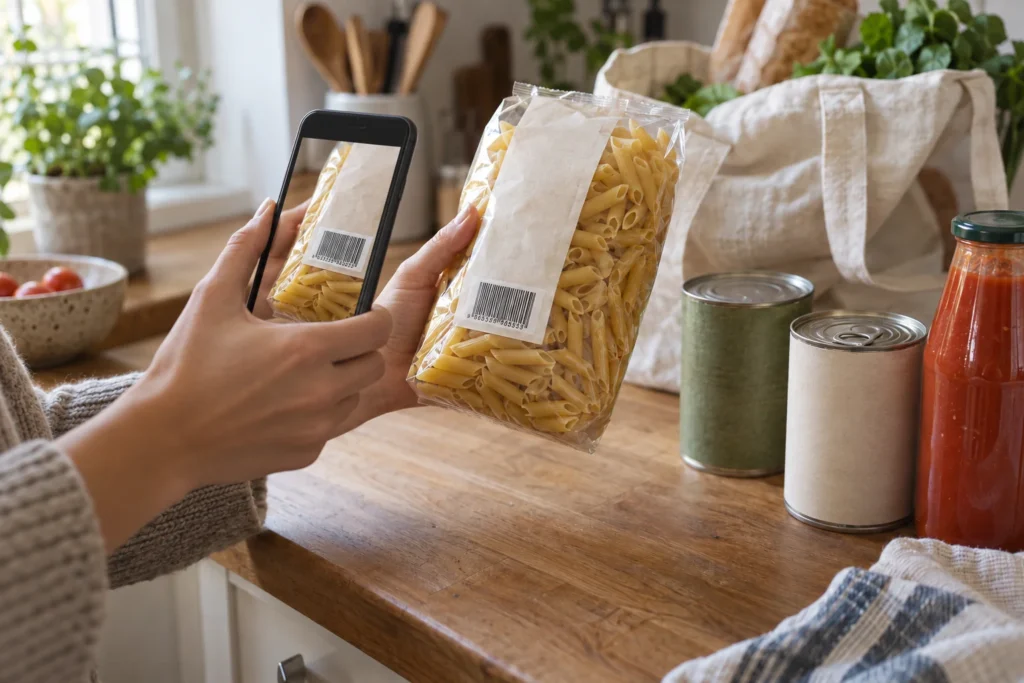
The pasta is a useful place to begin. A scan of its supermarket barcode can find a catalogue match, saving you from typing the product name. The variety and pack size still deserve a glance; if the match isn’t right, or the product isn’t found, the details can be entered by hand.
Barcode scanning is included in the free app, which allows up to 20 food items without QR Pantry labels. A handful of staples is enough to make the next shopping trip more informed. They can stay in their original packaging, in the cupboard where you normally keep them.
What makes this packet different
The product name is only part of what you’ll want to know later. Two identical packets can share a barcode and have different best-before dates. An ordinary product lookup generally won’t supply the date on the particular packet you’ve brought home.
That detail comes from the packaging, with Use by or Best before selected in QR Pantry to match its wording. Packets with different dates need separate records, so the older one doesn’t disappear behind the newer purchase. A location makes the food easier to find, especially if spare groceries live in another cupboard.
Notes can keep the small details that help with cooking. ‘Boil for 12 minutes’ is worth saving if that’s what this packet says, along with any storage or after-opening directions. The record is beginning to describe food you can use: what it is, where it lives and what you need to remember about it.
When the pasta goes into a jar
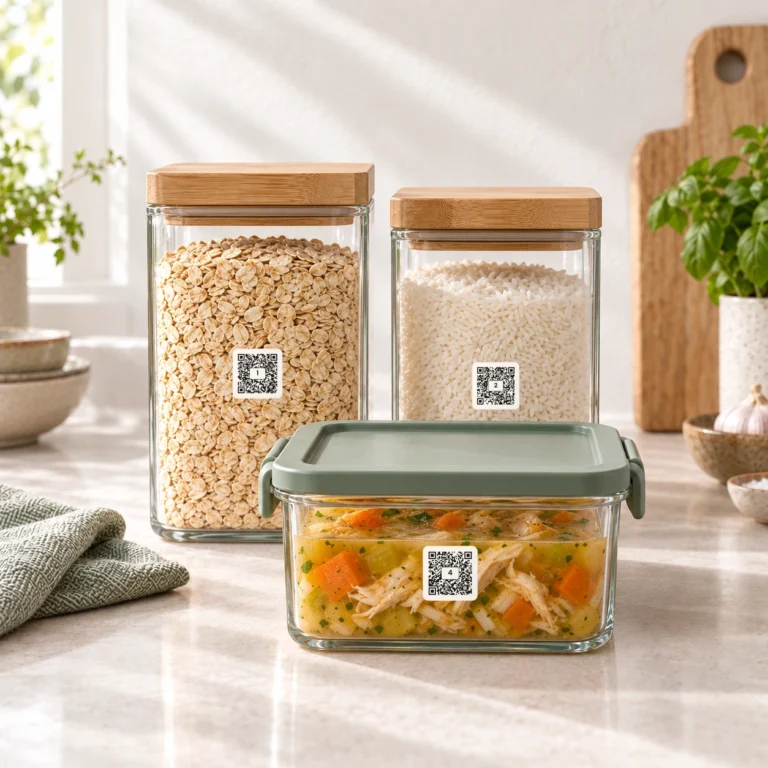
Decanting makes the cupboard neater, but it also separates the pasta from its cooking instructions and expiry date. QR Pantry lets you save both with the jar, including a note such as ‘Boil for 12 minutes’. Later, when the saucepan is on the stove and the packet is long gone, those useful details are still easy to find.
A QR Pantry label can connect the container to that information. Where the supermarket barcode identifies the product, the jar’s label opens its particular food record. For a packet you’ve already saved, Pro’s Pair a QR Pantry label option joins the existing record to the jar, keeping one entry for the same food.
On Free, food going straight into a labelled jar can begin with a scan of the fresh QR Pantry label, followed by its details. Pro also offers Barcode autofill during that setup to fill a matched product name and photo. Whichever route fits, the packet’s date and directions still belong with the food. Our pantry jar article follows those details through refills and explains what ingredient and allergen information to keep.
Back in the pasta aisle
Over the following weeks, the records need to change with the cupboard. Finished packets are marked Used up; an amount is adjusted when some remains. Those small updates are what make a check away from home worth making.
Next time you’re shopping, Peek in QR Pantry’s scanner lets you scan the supermarket barcode and see food saved with that code. It shows the item and its date; when there’s more than one, it shows the count and the earliest saved date. Checking doesn’t add anything to Food, and Peek is included in the free app.
The match depends on the grocery barcode having been saved. A jar entered by hand may need a look in your food list instead; at home, its QR Pantry label opens the details directly. Either way, the answer comes from the kitchen you’ve recorded, so keeping it current matters more than recording everything at once.
The live scanner demo gives you a feel for scanning. The useful moment comes later, standing in front of the pasta with a clearer picture of what’s at home. Another packet can stay on the shelf because this time you know there are already enough.