A container of soup behind the peas is only useful if you remember it’s there. A bag of chicken in the other freezer is only helpful if someone knows which freezer – and remembers to allow time for defrosting.
The goal of freezer organisation is to make the food you’ve stored available for an actual meal. You need to know what it is, where it lives, how much it will feed and what needs to happen before you can eat it. QR Pantry keeps those details with each container, so you can check them before you open the freezer door.
Start with one drawer
Choose a manageable section and record what you can identify confidently. Work in small groups so food spends as little time out of the freezer as possible. Don’t thaw a whole collection for the sake of an inventory.
If a container’s history is unknown, a new label won’t solve that. Don’t invent a cooking date or use an estimated freezer date to make questionable food appear current. Resolve the uncertainty first, using appropriate food safety advice.
For the food you can track, sort it by the job it does. Prepared meals and cooked bases deserve a different mental category from raw ingredients. Soup can be dinner after the appropriate preparation; raw chicken still needs a recipe and cooking.
A simple physical arrangement might have meals together, ingredients together and bread in its own section. Choose a layout you can maintain when you’re putting groceries away in a hurry. An elaborate system that needs to be rebuilt every Saturday will probably unravel.
Give each freezer a recognisable space
In QR Pantry’s Spaces, create names you’d use in conversation: ‘Kitchen freezer’ and ‘Garage chest freezer’, for example. Set the space’s Kind to Freezer. That setting matters because QR Pantry uses the kind of space when handling frozen food; the name alone shouldn’t carry the job.
For a large freezer, use notes to describe a useful physical position: ‘upper basket’ or ‘left drawer’. You don’t need a space for every small compartment unless that level of detail helps your household. Two accurate freezer names are better than twelve locations nobody updates.
Save each item to its real space. If you relocate food later, use Move to to update the record at the same time. Otherwise the app may correctly remember your dinner while sending you to the wrong appliance.
Record what the food can become
A good freezer entry is a small decision aid. Name the food specifically and include an important finishing step when necessary. ‘Tomato sauce – add pasta’ is more helpful than ‘sauce’. ‘Raw chicken thighs’ avoids confusing an ingredient with cooked food.
| Food | Useful details to record | What it helps you decide |
|---|---|---|
| Prepared soup | Serves two; kitchen freezer; add bread | Whether it covers tonight's dinner |
| Cooked tomato sauce | Serves two; add pasta; upper basket | Which finishing ingredient you need |
| Raw chicken thighs | Pack directions; original date; garage freezer | Where to find them and how to prepare them |
| Bread portions | Type and amount; drawer location | What is available for lunches |
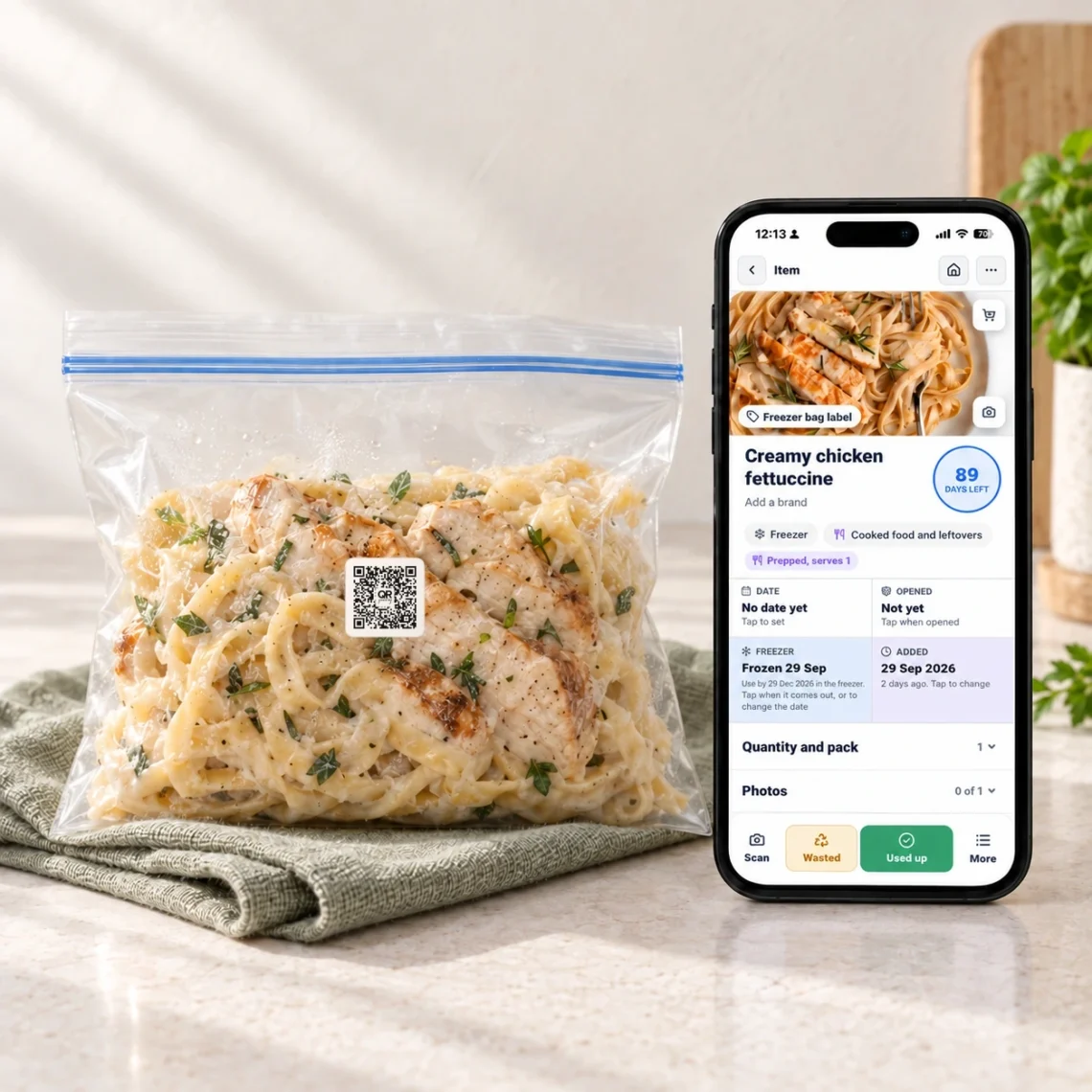
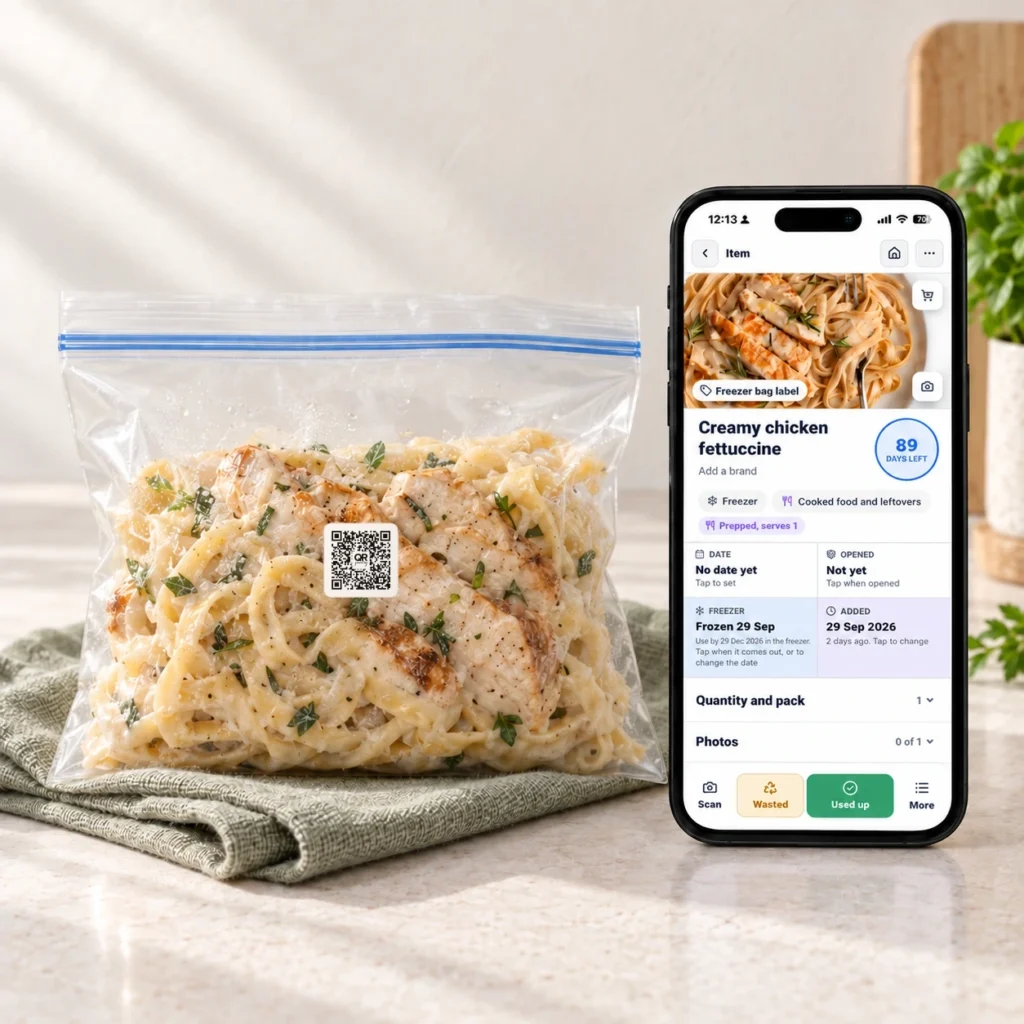
For a homemade portion, attach a suitable QR Pantry label and save its own record. Add Prepped and serves for a finished meal or cooked base. Leave raw ingredients identified as ingredients. This helps your prepared food take its proper place in meal planning.
Keep quantity meaningful. A labelled container holding two serves is usually one container, not two separate meals. If you’ve got several identical unlabelled packs in one record, update the count as you use them. Separate labelled portions make sense when you need to track different batches or destinations.
Keep the original date and the freezer history
For packaged food, retain the printed date and directions. Food Standards Australia New Zealand explains that use-by dates concern safety, while best-before dates concern quality. Follow storage and cooking instructions as well as the date; food should not be eaten after its use-by date.
Check that the food is suitable for freezing and follow its freezing instructions. The Food Standards Agency recommends a freezer temperature around -18°C and airtight packaging to help prevent freezer burn. Freezer burn affects quality; freezing doesn’t repair unsafe food.
Open the item’s Freezer clock to record when it went in. Review the proposed freezer date before saving. QR Pantry can offer a rule of thumb based on the food category, and you can change the date. Use your actual food history, relevant advice and pack directions to decide what applies.
The app may describe that field as ‘Use by, in the freezer’. Treat a suggested value as an organisational estimate, not a manufacturer-issued safety date. Record the cooking date in Notes for homemade food and preserve any instructions you’ll need when the portion comes back out.
Give older portions a route out
A freezer becomes more useful when something leaves it regularly. Before you shop, filter Food to the relevant freezer space and look at what could become a meal.
Use Soonest first to review tracked dates, then check the frozen history of suitable portions. Dates and storage history are different clues. A raw ingredient nearing a relevant deadline may need priority; among comparable prepared portions, an older batch is a sensible one to consider first.
Keep a small, visible section for the portions you’re planning to use next. Choose one or two for the coming week and check the extras they need. Soup might need bread. A cooked curry base might need vegetables. Put those extras on the shopping list instead of buying another whole dinner.
QR Pantry’s current-week meal planner is available on a free account. Pro adds planning weeks ahead and Plan my week, which can include recorded prepared freezer food. Whichever approach you use, check the suggested meals against the portions you actually have.
Make defrosting part of the plan
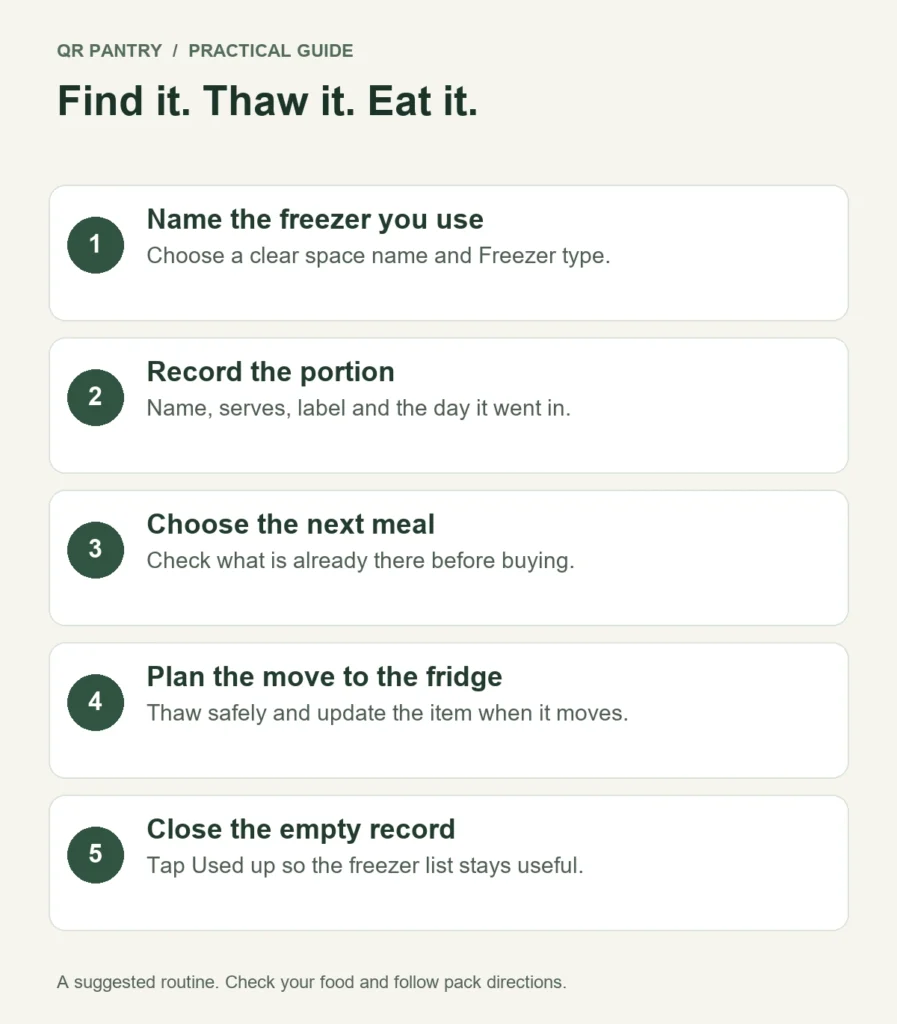
The moment to think about defrosting is when you choose the meal. Check the pack or recipe instructions, and allow enough time for the portion’s size and density. Some foods are intended to be cooked from frozen; follow their directions rather than assuming every item needs the same treatment.
For food that needs defrosting, the Food Standards Agency advises using the fridge and a container that catches drips, then using the food within 24 hours of full defrosting. Follow any stricter food-specific directions. Don’t leave food on the bench to thaw.
When the portion leaves the freezer, use Move to to save its new storage space. Moving it out of a freezer space records the change in frozen status. The Freezer clock’s It came out action can also record the thaw, but check the location separately. Review the resulting date against the food’s directions and handling history; the app’s thaw estimate can’t verify safety.
Keep the picture accurate as you eat
After dinner, mark an empty container Used up. If only part was used, update the remaining amount. Reuse an appropriate reusable label when you refill the container, with the new food’s details.
The useful habit is a short freezer check before the shop: choose what will come out, work out what it needs and leave room for what will go in. Your freezer can then hold dinners you recognise and ingredients you’ve chosen to use, instead of a collection of vague future possibilities.