
Your containers.
With a memory.
Stick a QR Pantry label on a container, scan it and save what’s inside. Next time, one scan brings up the name, date and notes you saved.
For the leftovers, the pantry staples and the boxes you’d rather not unpack.
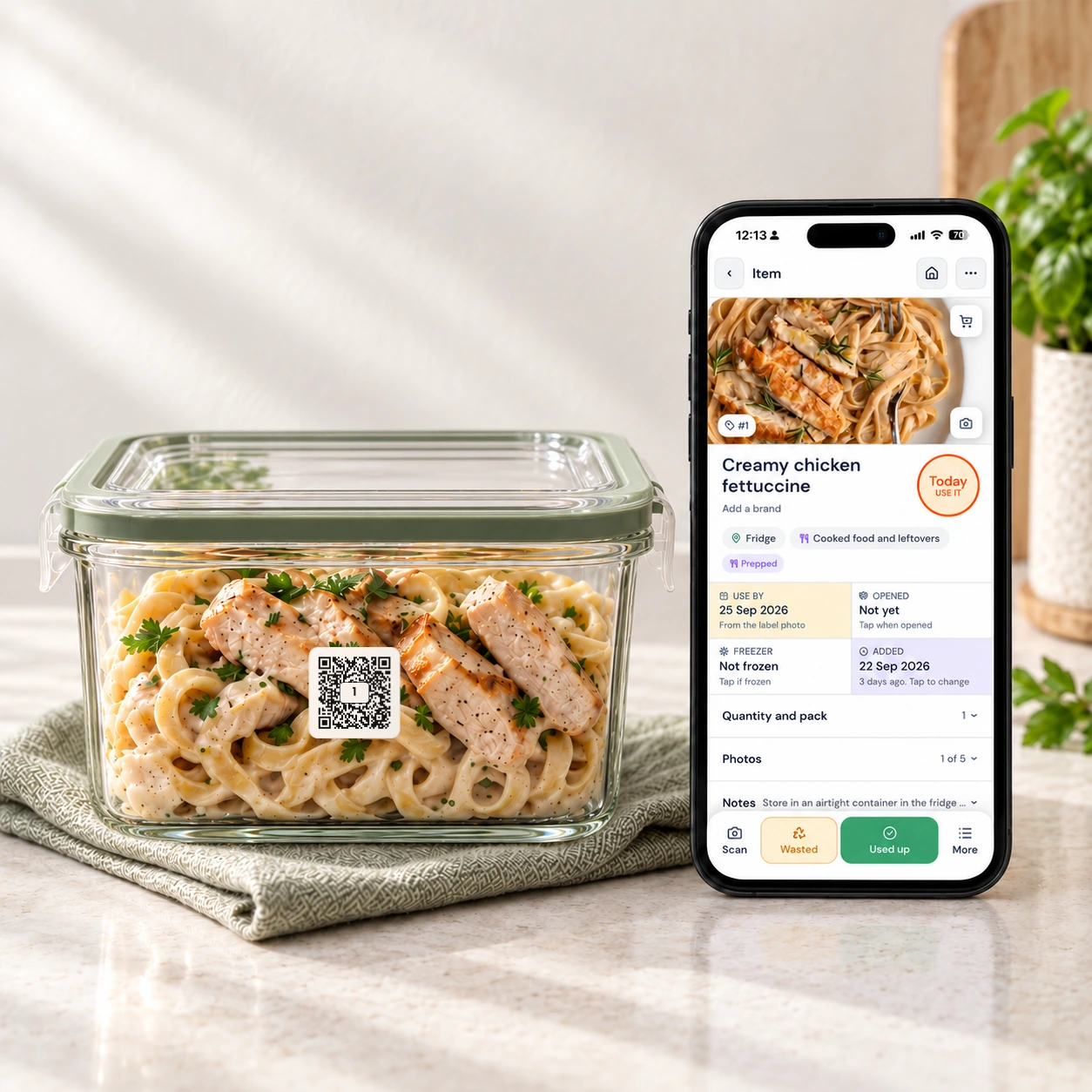
A label. A scan. A place to remember.
Start with tonight’s leftovers or a jar on the shelf. You can organise the rest as you go.
-
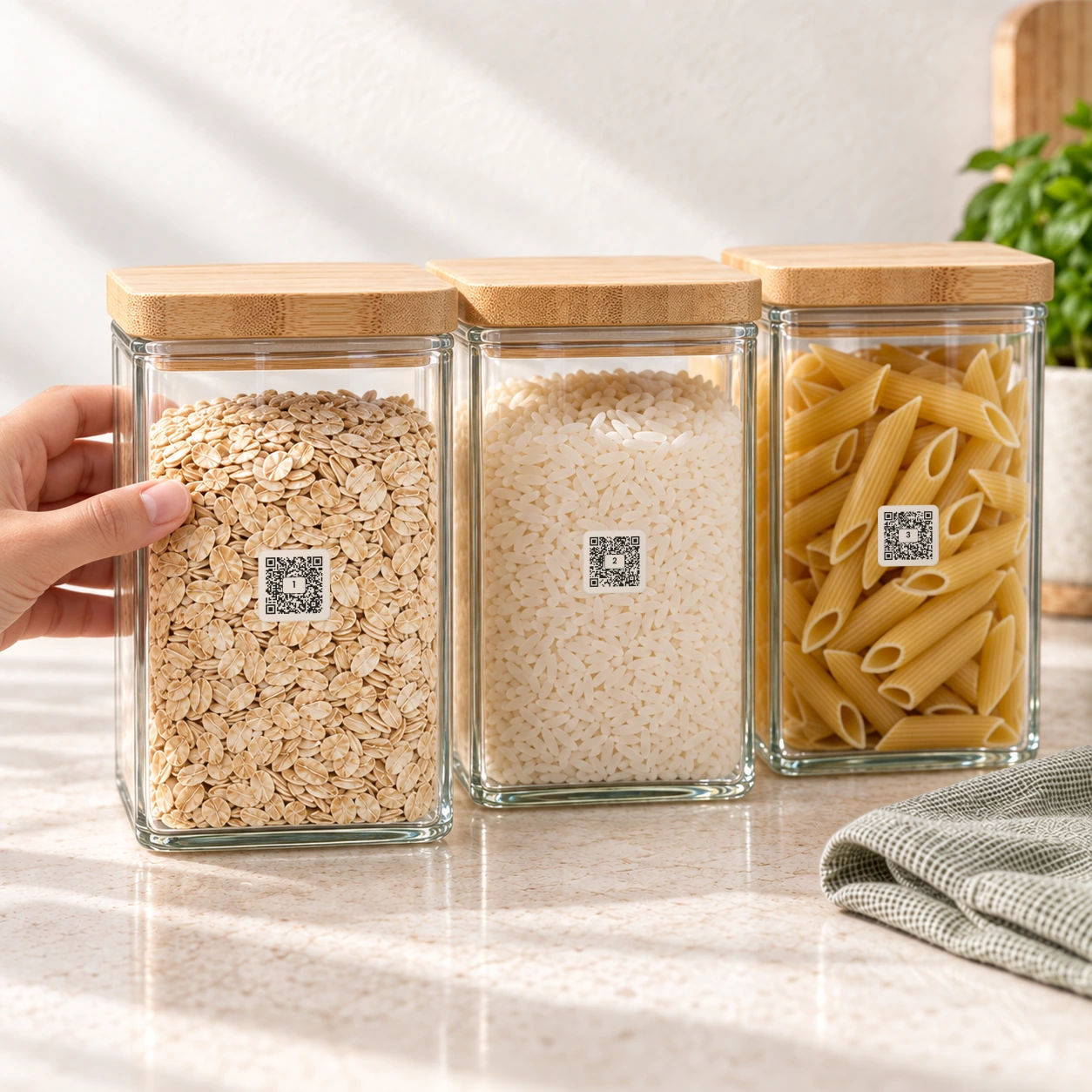
Stick on a label
Choose a QR Pantry label for your container or bag. Apply it to a clean, dry surface while it’s at room temperature, before it goes into the fridge or freezer.
-
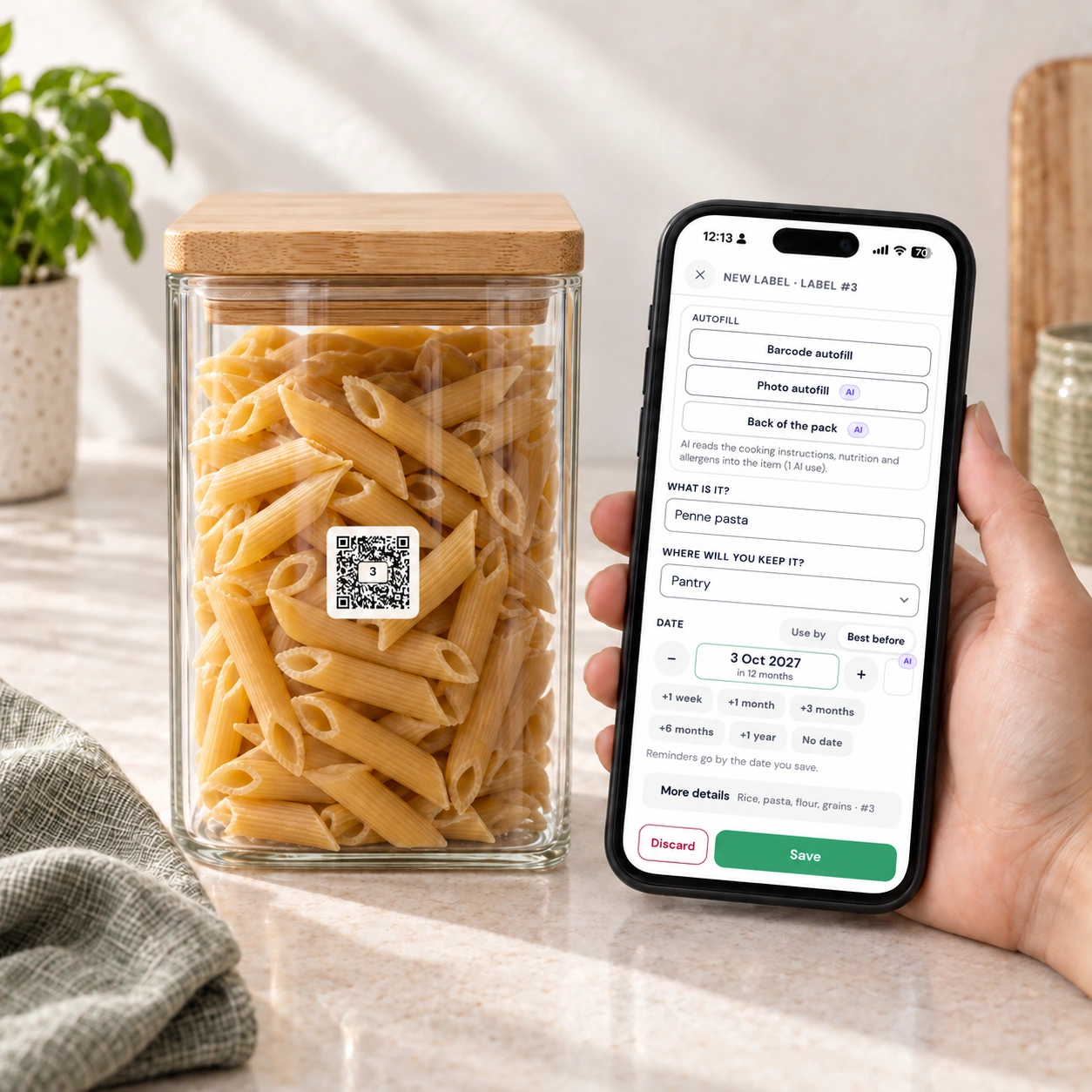
Scan and save
Scan with your phone camera or the QR Pantry app. Add the name, where it’s stored and the date you want to track. A photo or a note can help you remember the rest.
-
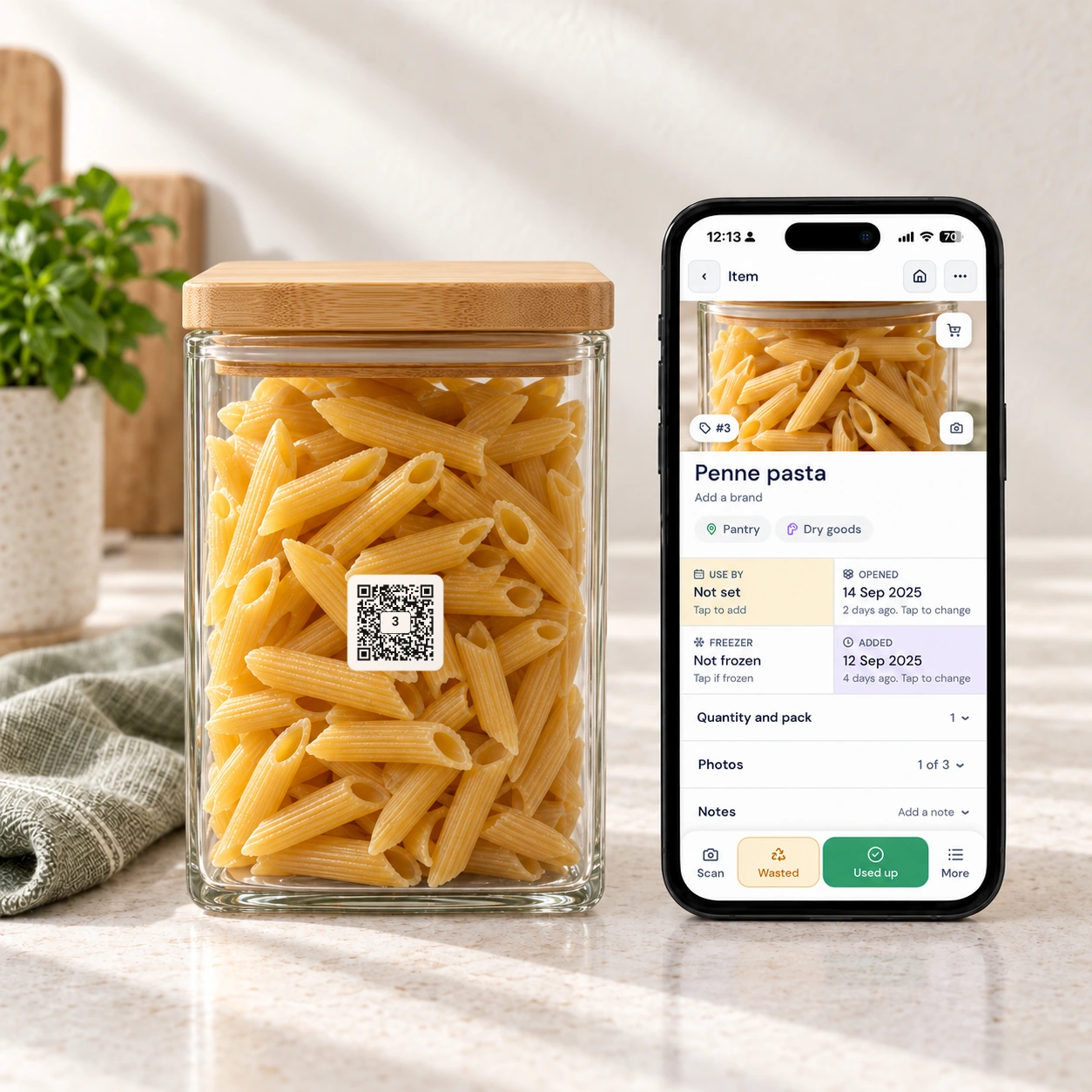
Scan to see it again
The label now opens the details you saved. Check what’s inside, find the cooking notes or update the contents. You can also search your food from the app.
Try your first label, right here.
Follow a container from its first scan to its saved details. This guided demo uses a sample item, so you can explore without creating an account.

A 30-second interactive demo. You set up the item.
One label, set up once, scanned whenever you wonder, and reused when the food is gone.
Create Free AccountWant to try it on your own containers? Get the free Print-at-Home Test Pack.
Less to keep in your head.
The date on the opened sauce. The meal at the back of the freezer. Which box has the Christmas lights. Save it once and look it up when you need it.
Use what you have
See the food coming up to its saved date. Turn on push reminders for a nudge before it gets forgotten.
Check from the shops
Search your food while you’re out and keep what you need on your shopping list. That extra jar of paprika can stay on the shelf.
Keep the useful details
Save when you cooked it, the reheating instructions or a note about the ingredients. They’re there when you scan.
Find it without unpacking
Put a storage label on a box and list what’s inside. Next time you need the spare cables, check the list before lifting the lid.
Tonight’s soup.
Next week’s pasta.
Same label.
Our reusable Smart Pantry, Fridge and Freezer Labels stay on the container. When it’s empty, clear the saved details and use the label for whatever goes in next.
Update the name, date and notes in the app. The physical label stays put.
Let a photo do the first draft.
Take a photo and Pro suggests the food’s name and a date for its storage location. You check the details, make any changes and save.
Pro gives you a larger monthly AI allowance for photos, receipts and recipes, plus tools to add a whole shop or shelf at once.
It also adds email reminders, household sharing and meal planning beyond this week. Your labels work with the free app; Pro is there when you want more help.
A 20-second interactive demo. You take the photo.
One scan, one photo, one check. Pro suggested the name and the date; you saved it.
Start Pro Free TrialSee everything included in Free and Pro
QR Pantry Free
$0 · No paid subscription needed
- Scan food & storage labels
- Track expiry & best-before dates
- Expiry reminders on your phone
- Barcode scanning · 1 million+ products
- One photo on each food item
- 4 AI uses a month · for photos of food, boxes and recipes
- Storage spaces: pantry, fridge, freezer & more
- Notes & cooking instructions
- Shop by aisle, then add purchases to your pantry
- Save up to 10 recipes · see ingredients you already have
- Meal planner · plan this week from your recipe book
- Log in from multiple devices
- Update the details & reuse your labels
Free account · no card required
QR Pantry Pro
Everything in Free, with extra help:
- 150 AI uses a month · for photos, receipts and recipes (60 during a free trial)
- Photograph food for a suggested name & expiry date. Review before saving.
- Read printed dates & cooking instructions from a packet photo
- Scan a receipt, review the items & add them together
- Photograph a shelf, then review & add recognised items
- Fill label details from a matching product barcode
- Add several food items or meal portions at once
- Email reminders before your saved expiry dates
- More photos for food & storage entries
- AI suggestions for food storage & handling
- Recipe book · room for 1,000 recipes
- Plan weeks ahead, get meal suggestions & build a shopping list
- Shopping links for Woolies, Coles and more
- Share your pantry with your household
- Export your food inventory
30-day free trial, then $3.95 a month or $34.95 a year
Cancel anytime
Here’s where to start.
Get QR Pantry on your phone
Download the app for iPhone or Android, or use QR Pantry in your browser.

Set up your free account
If you bought labels from us, use the email you used at checkout. Already have an account? Sign in with that email.
Create your free account →Sign in →
Start with one container
Apply the label, press firmly, then scan it and save what’s inside. Start small and add more as you put food away.
View the label placement guide →Using a browser? Sign in to QR Pantry on your phone or computer. Your saved items stay with your account across devices.
Do I need a subscription?
No. Scanning labels, saving your food, tracking dates and receiving push reminders are part of the free app. QR Pantry Pro is an optional upgrade.
Which labels should I choose?
Use reusable Smart Pantry, Fridge and Freezer Labels on containers you keep and wash. Choose Smart Freezer Bag and Meal Prep Labels for freezer bags, zip bags and vac-sealed bags. The bag labels aren’t recommended for reuse, and they aren’t dishwasher or microwave safe. Explore the label range.
Can my household use it too?
You can sign in to your own account on multiple devices with the free app. QR Pantry Pro adds household sharing, so other people can join your pantry using their own accounts.
Do I need an internet connection?
Yes. Scanning a label opens the details from your QR Pantry account, so your phone needs Wi-Fi or mobile data.
Can I try it before ordering labels?
Yes. Try the guided demo on this page, or get the free Print-at-Home Test Pack to use official sample labels with your own containers and the real app.
Give your next container a memory.
Put a label on something you’ll want to remember. The next time you reach for it, the details will be waiting.
The free app is included. Your containers are ready.